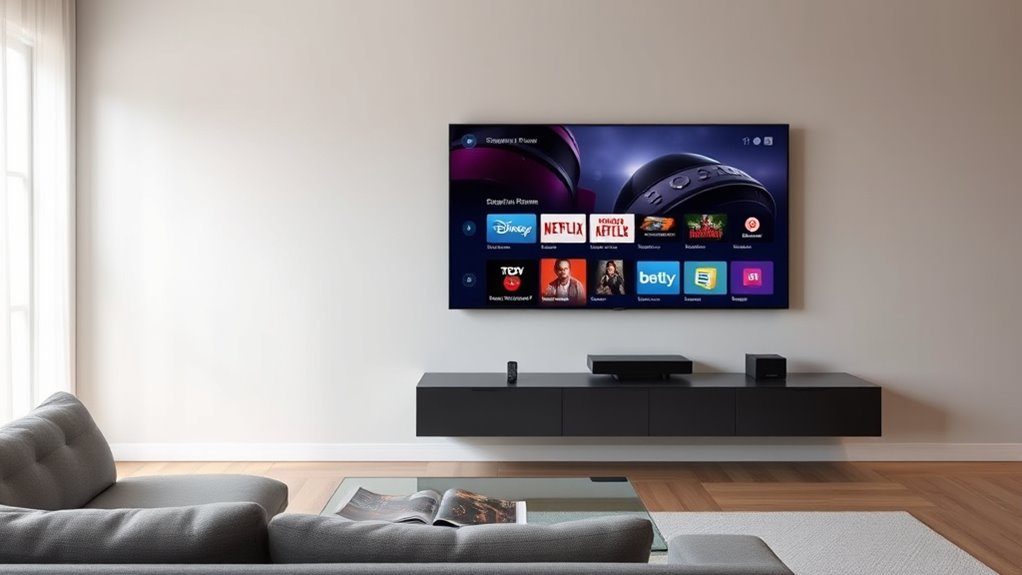

TV listening options like audio description and closed captioning improve your viewing by making dialogue and sounds clearer without needing extra reviews or equipment. Audio description provides spoken narration of on-screen actions, while closed captioning displays text of dialogue and sounds. These features work through your TV’s accessibility settings or streaming services, letting you customize your experience. If you keep exploring, you’ll discover how these options enhance accessibility and enjoyment for everyone.

Get everyday helpers delivered free with Prime
- Fast, free delivery on millions of items
- Prime Video, Amazon Music and more included
- Member-only deals all year
Key Takeaways
- Audio description provides spoken narration of visuals, enhancing understanding for visually impaired viewers.
- Closed captioning displays on-screen text of dialogue and sounds, aiding comprehension in noisy or quiet environments.
- Both features are accessible via TV or streaming service settings, and can be customized to user preferences.
- They operate independently, offering alternative methods to enjoy content without relying solely on volume or visual cues.
- These options promote inclusivity and improve the overall TV viewing experience for diverse audiences.
Are you looking for better ways to enjoy your favorite TV shows without disturbing others or straining your ears? If so, you’ll want to explore some of the most effective TV listening options designed to enhance your viewing experience. One popular choice is using audio description, which provides spoken narration of on-screen actions, settings, and characters. This feature is especially helpful if you have visual impairments or simply want a more immersive experience. When enabled, audio description works alongside the regular audio, giving you a detailed narrative that helps you understand what’s happening on screen without having to turn up the volume loud enough to bother others. It’s typically available through your TV’s accessibility settings or via streaming services that support it. audio description can be customized to suit your preferences, making it a versatile tool for diverse viewers.
Another crucial feature is closed captioning, which displays text on the screen to show dialogue, sound effects, and other audio cues. Closed captioning is beneficial whether you’re in a noisy environment, trying to watch TV discreetly, or simply want to catch every word without turning up the volume. When you activate closed captioning, you see the spoken words as text, making it easier to follow complex conversations or understand accents. It’s a straightforward option that most TVs and streaming platforms support, often accessible through the settings menu. Both audio description and closed captioning are designed to make TV watching more inclusive and customizable, catering to different needs and preferences.
As an affiliate, we earn on qualifying purchases.
Frequently Asked Questions
What Are the Best Budget-Friendly TV Listening Options?
For budget-friendly TV listening options, wireless audio devices like affordable Bluetooth speakers or earphones work great. They’re easy to connect and don’t require complicated setups. You can also consider budget options like wired soundbars or TV-compatible headphones, which offer good sound quality without breaking the bank. These choices let you enjoy clear audio without overspending, making your TV experience more immersive and enjoyable on a budget.
How Do I Connect Wireless Headphones to My TV?
To connect wireless headphones to your TV, start by identifying the wireless headphone types your TV supports, like Bluetooth or RF. For Bluetooth headphones, enable Bluetooth pairing mode and access your TV’s Bluetooth settings to pair via Bluetooth pairing methods. For example, if you have Bluetooth headphones, put them in pairing mode, then select them in your TV’s Bluetooth menu. This quick process guarantees seamless audio without wires.
Can I Use Multiple Listening Devices Simultaneously?
Yes, you can use multiple listening devices simultaneously with multi-device synchronization. Many modern TVs and Bluetooth transmitters support simultaneous audio streaming, allowing you to connect and listen on several devices at once. Check your TV’s settings or the device’s manual to enable this feature. Keep in mind, some devices may have limitations, so verify your equipment supports simultaneous connections for a seamless experience.
What Compatibility Issues Should I Watch Out For?
Imagine two devices, one syncing perfectly, the other lagging behind. You should watch out for audio latency, which causes delays, and device compatibility issues that prevent seamless connection. Check if your TV and listening devices support the same Bluetooth or Wi-Fi standards. Ensuring compatibility and minimizing latency means your audio stays synchronized, delivering an uninterrupted experience. Always verify compatibility specs before setting up to avoid frustrating delays or connection failures.
Are There Any Setup Tips for Optimal Sound Quality?
To get ideal sound quality, start with proper speaker placement, ensuring they’re at ear level and spaced evenly around your listening area. Perform audio calibration through your TV or sound system settings to balance volume levels and frequency response. Avoid placing speakers too close to walls, which can cause echo or muffled sound. Regularly check connections and update firmware for the best performance, and experiment with settings until you find your perfect sound.
Conclusion
So, next time you think about your TV’s listening options, remember—they’re there to make things easier, right? But sometimes, the simplest choice can feel like steering a maze. Ironically, in trying to simplify your life, you might just find yourself more confused. Still, at least you’re listening—whether to the show or the tech. Ultimately, even the quietest options speak volumes about how we want our TV time to be just a little easier.
Halloween Picks
halloween
As an affiliate, we earn on qualifying purchases.