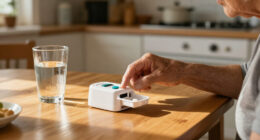
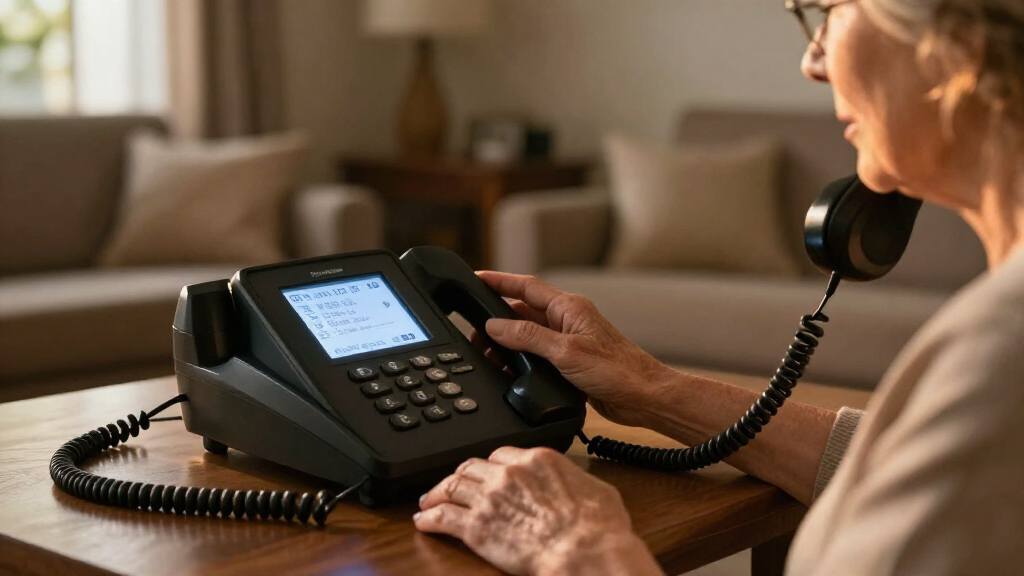
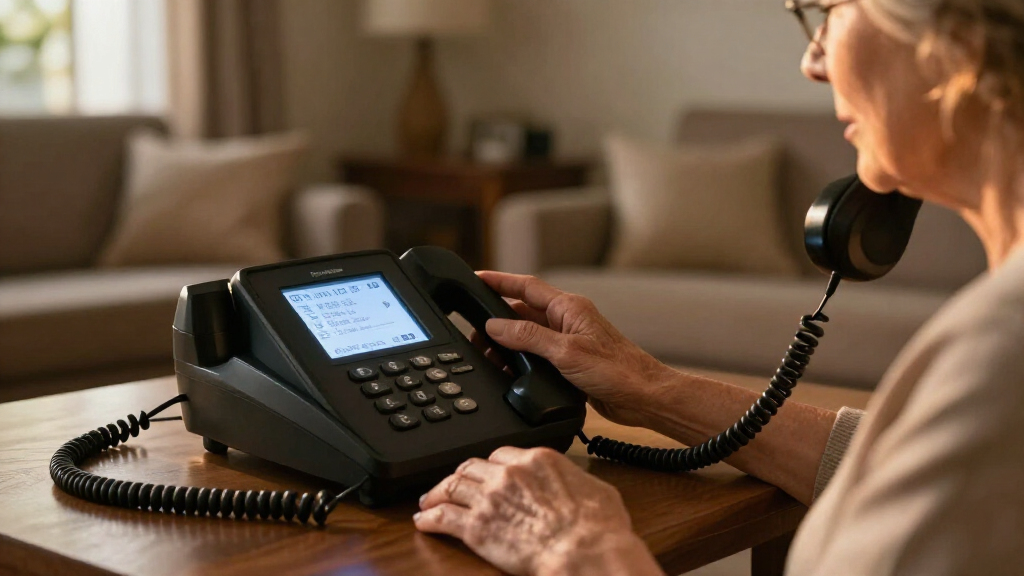
Captioned phones for hearing impaired callers display spoken words on a screen, while amplified phones make voices louder or clearer without providing captions. My best overall pick is the Hamilton CapTel 840i for buyers who want dedicated captioning and large buttons; the CapTel 2400iSPNBT models stand out for a larger touchscreen, while the Clarity XLC3.4+ is a stronger fit when amplified cordless handsets matter more than captions. The main tradeoff is between live text, stronger sound, cordless convenience, and the setup each feature requires. Several phones in this lineup are amplified rather than captioned, so the distinction matters before you buy. Read on for the full comparison and guidance on choosing a phone that fits your hearing, home, and calling habits.

Get everyday helpers delivered free with Prime
- Fast, free delivery on millions of items
- Prime Video, Amazon Music and more included
- Member-only deals all year
Key Takeaways
- The Hamilton CapTel 840i is the clearest match for someone specifically seeking a dedicated captioned phone with large physical buttons.
- The two CapTel 2400iSPNBT listings share the same model name, so buyers should compare the actual listing and included accessories rather than treat them as distinct phone designs.
- The Clarity XLC3.4+ and Panasonic KX-TGM450S focus on amplified cordless calling; neither should be mistaken for a captioning substitute.
- The E814Cc pairs amplification with two handsets, while the JV35 and JeKaVis J-P02 favor simpler corded operation and accessible controls.
- The SOS Big Button phone adds an emergency pendant, a specialized feature that does not replace captioning or confirm that a call is understood.
| JeKaVis J-P02 Amplified Corded Phone with Large Buttons |  | Best for Power-Outage Readiness | Phone type: Corded landline | Amplification: Up to 40 dB | Power source: Telephone line | VIEW LATEST PRICE | See Our Full Breakdown |
| Clarity E814Cc Amplified Telephone with Two Handsets |  | Best for Shared Homes | Telephone type: Corded | Handsets: 2 | Incoming sound amplification: Up to 40 dB | VIEW LATEST PRICE | See Our Full Breakdown |
| Hamilton CapTel 840i Captioned Telephone with Large Buttons |  | Best Overall for Caption Access | Phone type: Corded | Amplified gain: Up to 40 dB | Captioning: Automatic or operator-assisted | VIEW LATEST PRICE | See Our Full Breakdown |
| Clarity JV35 Amplified Corded Phone with Talk Back Numbers |  | Best for Accessible Dialing | Telephone type: Corded | Incoming sound amplification: Up to 37 dB | Ringer volume: 95 dB or louder | VIEW LATEST PRICE | See Our Full Breakdown |
| Hamilton CapTel 2400iSPNBT Captioned Telephone with Large Touchscreen |  | Best for Touchscreen Caption Review | Telephone type: Corded | Amplification: Up to 40 dB | Captioning: Automated or live operator-assisted | VIEW LATEST PRICE | See Our Full Breakdown |
| SOS Big Button Landline Phone with Wireless Emergency Pendant for Seniors |  | Best for Emergency Calling | Telephone type: Corded | Dialing: Big buttons, picture dial, wireless SOS pendant | Compatible lines: Analog phone line, landline phone line, or VoIP line | VIEW LATEST PRICE | See Our Full Breakdown |
| Hamilton CapTel 2400iSPNBT Captioned Telephone with Large Touchscreen | | Best Overall for Captioned Calls | Telephone type: Corded | Captioning: Real-time captions for incoming and outgoing calls; voicemail captions | Amplification: Up to 40 dB | VIEW LATEST PRICE | See Our Full Breakdown |
| Clarity XLC3.4+ Cordless Phone for Severe Hearing Loss with Two XLC3.6+ Handsets |  | Best Multi-Handset Pick | Telephone type: Cordless | Technology: DECT 6.0 (1.9 GHz) | Included handsets: Two XLC3.6+ handsets | VIEW LATEST PRICE | See Our Full Breakdown |
| Panasonic KX-TGM450S Amplified Cordless Phone with Slow Talk (Silver) |  | Best for Strong Audio Support | Model: KX-TGM450S | Call volume boost: Up to 50 dB | Ringer volume: Up to 112 dB | VIEW LATEST PRICE | See Our Full Breakdown |
| captioned phones for hearing impaired | Dimensions | Answering system | Telephone type |
|---|---|---|---|
| JeKaVis J-P02 Amplified Corded | 8.27 x 8.27 x 3.15 inches | Microcassette compatible; 5-minute recording capacity | — |
| Clarity E814Cc Amplified Telep | — | Digital | Corded |
| Hamilton CapTel 840i Captioned | 7.5 x 9 x 6.5 inches | Digital, with captioned voicemail | — |
| Clarity JV35 Amplified Corded | 12.5 x 10.5 x 2.75 inches | — | Corded |
| Hamilton CapTel 2400iSPNBT Cap | — | Digital, with captioned voicemail | Corded |
| SOS Big Button Landline Phone | 7 x 7 x 3 inches | — | Corded |
| Hamilton CapTel 2400iSPNBT Cap | 3.64 x 12.56 x 9.54 inches | Digital, with 18 minutes recording capacity | Corded |
| Clarity XLC3.4+ Cordless Phone | 15.5 x 14 x 10.25 inches | Digital | Cordless |
| Panasonic KX-TGM450S Amplified | — | — | — |
More Details on Our Top Picks
JeKaVis J-P02 Amplified Corded Phone with Large Buttons
The JeKaVis J-P02 is a practical choice for callers who need louder sound and an uncomplicated landline, rather than on-screen captions. Its up to 40 dB amplification, hearing-aid compatibility, and large buttons address common listening and dialing barriers, while line-powered operation means it does not need batteries or an external power supply. That makes it more outage-ready than the Clarity E814Cc, which adds two handsets and a digital answering machine but is a more feature-rich setup. The tradeoff is that this JeKaVis does not provide real-time captions, so it is not a substitute for the Hamilton CapTel 840i when reading call dialogue is necessary. It also has a single line and no built-in answering system specified. I’d choose it for straightforward amplified calling, not for caption access or message management.
Pros:- Large buttons make dialing easier for users with low vision or reduced dexterity.
- Up to 40 dB amplification and hearing-aid compatibility support clearer listening.
- Telephone-line power avoids dependence on batteries or an external power supply.
- Two-touch speed dialing and wall mounting add practical convenience.
Cons:- Does not display captions, unlike the Hamilton CapTel 840i.
- Single-line operation limits use to one phone line.
- No built-in answering system is specified.
Best for: Landline users who want large, easy-to-read buttons, amplified sound, and a phone that can operate without batteries or external power.
Not ideal for: Callers who need real-time captions, a built-in answering system, or multiple handsets around the home.
- Phone type:Corded landline
- Amplification:Up to 40 dB
- Power source:Telephone line
- Hearing-aid support:Hearing-aid compatible
- Speed dialing:Two-touch dialing on buttons 0–9
- Mounting:Wall-mountable
- Dimensions:8.27 x 8.27 x 3.15 inches
- Answering system:Microcassette compatible; 5-minute recording capacity
Our verdict“Choose the JeKaVis for simple, power-independent amplified calling, but pick a Hamilton CapTel if reading captions is a core need.”
Clarity E814Cc Amplified Telephone with Two Handsets
The Clarity E814Cc earns its place for households where more than one person needs access to an amplified phone. Its two handsets make it easier to keep a phone nearby in separate rooms, and the digital answering machine captures calls when nobody can answer. Four tone settings let users adjust the sound to suit their hearing, alongside up to 40 dB of incoming amplification. Compared with the JeKaVis J-P02, this is the more capable home setup, but it gives up the JeKaVis’s stated ability to work without batteries or external power. Neither phone provides captions; readers who need text alongside speech should look at the Hamilton CapTel 840i instead. The E814Cc’s strongest case is convenience and listening adjustment, not caption access. The supplied details do not specify battery backup or caption features.
Pros:- Two handsets let users place a phone in more than one room.
- Up to 40 dB incoming amplification supports louder calls.
- Four tone settings allow listening adjustments.
- Digital answering machine and high-contrast caller ID add useful call-management features.
Cons:- Does not provide real-time captions, unlike the Hamilton CapTel 840i.
- Its power-outage operation is not specified, unlike the line-powered JeKaVis J-P02.
- The supplied product details do not state a ringer volume or battery-backup feature.
Best for: Households that want amplified listening, a second handset for another room, and an answering machine for missed calls.
Not ideal for: Callers who need real-time captions, or buyers prioritizing operation without external power during outages.
- Telephone type:Corded
- Handsets:2
- Incoming sound amplification:Up to 40 dB
- Tone settings:4
- Answering system:Digital
- Display:High-contrast caller ID
- Hearing-aid compatibility:Compatible
Our verdict“Pick the E814Cc for shared-room convenience and call answering, but choose a captioned model if hearing speech alone is not enough.”
Hamilton CapTel 840i Captioned Telephone with Large Buttons
For buyers whose main need is reading what callers say, the Hamilton CapTel 840i is the most directly suited option in this group. It shows real-time captions for incoming and outgoing calls, with adjustable caption settings and captioned voicemail, so missed messages can be read as well as heard. Up to 40 dB amplification and automatic or live operator-assisted captions offer more support than the Clarity JV35, which amplifies calls and speaks dialed numbers but does not provide call captions. The 840i’s tradeoff is setup: it needs high-speed internet, phone service, and electrical power, and caption service requires registration and is limited to eligible U.S. residents with hearing loss. That makes it less straightforward than the line-powered JeKaVis J-P02. I’d rank it first for caption-focused communication, not for households seeking a basic phone that works independently of internet and power.
Pros:- Displays real-time captions for incoming and outgoing calls.
- Captioned voicemail makes recorded messages easier to review.
- Offers automatic or live operator-assisted captioning.
- Up to 40 dB amplification and adjustable caption settings support different communication needs.
Cons:- Requires high-speed internet, telephone service, and electrical power.
- Captioning requires registration and is limited to eligible U.S. residents with hearing loss.
- Less suitable than the JeKaVis J-P02 for power-independent calling.
Best for: Eligible U.S. residents with hearing loss who want to read live call captions and captioned voicemail on a dedicated phone.
Not ideal for: People without high-speed internet, telephone service, or electrical power, and callers outside the captioning service’s eligibility area.
- Phone type:Corded
- Amplified gain:Up to 40 dB
- Captioning:Automatic or operator-assisted
- Answering system:Digital, with captioned voicemail
- Recording capacity:18 minutes
- Requirements:High-speed internet, telephone service, and standard electrical power
- Caption service availability:Eligible U.S. residents with hearing loss; registration required
- Dimensions:7.5 x 9 x 6.5 inches
Our verdict“Choose the 840i when reading live captions is the priority and you can meet its service and connection requirements.”
Clarity JV35 Amplified Corded Phone with Talk Back Numbers
The Clarity JV35 focuses on dialing confidence and audible feedback rather than captions. As each number is pressed, the phone repeats it aloud, while jumbo Braille buttons give users tactile cues and up to 37 dB of incoming amplification supports listening. Those features make it a more accessible dialer than the JeKaVis J-P02, whose large buttons are helpful but are not described as Braille or talk-back. Neither model displays call captions, so the Hamilton CapTel 840i is the better fit when written dialogue is needed. The JV35 also has a ringer rated at 95 dB or louder, which may help callers notice incoming calls, but its corded, single-line setup is less flexible than a multi-handset phone. It requires four AA batteries, a meaningful drawback beside the JeKaVis’s telephone-line power.
Pros:- Repeats dialed numbers aloud to help users catch keypad errors.
- Jumbo buttons include Braille characters for tactile dialing.
- Up to 37 dB amplification with adjustable volume and tone controls.
- Ringer is rated at 95 dB or louder.
Cons:- Does not display captions, unlike the Hamilton CapTel 840i.
- Requires four AA batteries, while the JeKaVis J-P02 is specified to work without batteries or external power.
- Single-line operation limits connection flexibility.
Best for: Callers who benefit from spoken number confirmation, tactile Braille buttons, and a loud ringer on a corded phone.
Not ideal for: People who need real-time captions or want to avoid replacing AA batteries.
- Telephone type:Corded
- Incoming sound amplification:Up to 37 dB
- Ringer volume:95 dB or louder
- Buttons:Jumbo buttons with Braille characters
- Dialing feedback:Repeats each dialed number aloud
- Line operation:Single-line
- Battery requirement:4 AA batteries
- Dimensions:12.5 x 10.5 x 2.75 inches
Our verdict“Choose the JV35 for spoken dialing feedback and Braille controls, but select a CapTel model if captions are essential.”
Hamilton CapTel 2400iSPNBT Captioned Telephone with Large Touchscreen
The Hamilton CapTel 2400iSPNBT is the touchscreen choice for callers who want to read live captions and revisit voicemail in the same interface. It provides real-time captions for incoming and outgoing calls, with automated or live operator assistance, adjustable caption size, and captioned voicemail. Compared with the CapTel 840i, it puts more emphasis on a large touchscreen for reviewing text, while both share up to 40 dB amplification and internet-based setup needs. Three-way calling and compatibility with several listed phone services add flexibility, though the phone still operates on a single line. Buyers must have high-speed internet and electrical power; telephone service is also required in some cases. Captioning requires registration and is limited to eligible U.S. residents with hearing loss. I’d favor it over the 840i for touchscreen interaction, but not for anyone seeking a simpler, power-independent phone.
Pros:- Displays captions for incoming and outgoing calls, with captioned voicemail.
- Large touchscreen allows caption review and adjustment of caption size.
- Offers automated captions or live operator assistance.
- Up to 40 dB amplification, hearing-aid compatibility, and three-way calling add flexibility.
Cons:- Requires high-speed internet and electrical power; telephone service is required in some cases.
- Captioning is limited to eligible U.S. residents with hearing loss who register.
- Single-line operation may not suit users who need multiple phone lines.
Best for: Eligible U.S. callers who want to read live captions and captioned voicemail on a large touchscreen, with three-way calling available.
Not ideal for: People without high-speed internet or electrical power, callers outside the service eligibility area, or buyers who want a phone that works independently of external power.
- Telephone type:Corded
- Amplification:Up to 40 dB
- Captioning:Automated or live operator-assisted
- Answering system:Digital, with captioned voicemail
- Conference calling:3-way
- Line operation:Single-line
- Compatible services:VoIP, analog, digital cable, DSL, and FIOS telephone networks
- Power and connectivity requirements:High-speed internet, electrical power, and telephone service in some cases
Our verdict“Choose the 2400iSPNBT for touchscreen-based caption reading and voicemail review, provided its service and connection requirements fit your home.”
SOS Big Button Landline Phone with Wireless Emergency Pendant for Seniors
This phone prioritizes simple dialing and emergency access, rather than the on-screen transcription that defines a captioned phone. Large buttons and picture dialing can make routine calls easier to place, while amplified audio may help users follow speech. Its wireless pendant adds a distinct safety feature: pressing it can call saved contacts in sequence without needing to reach the handset. Compared with the Hamilton CapTel 2400iSPNBT, this is a simpler choice for someone who values a pendant and no monthly fee over live captions, voicemail captions, and touchscreen controls. That distinction matters: it does not provide call captions, so it may not suit someone who needs text to understand conversations. It also depends on a compatible phone line, and the emergency sequence relies on a saved contact answering and acknowledging the call.
Pros:- Wireless pendant can initiate emergency calls to saved contacts in sequence
- Large buttons and picture dialing simplify placing everyday calls
- Amplified audio supports easier listening
- No monthly fee or subscription is required
Cons:- Does not display captions for incoming or outgoing calls
- Requires a compatible phone line
- Emergency calls depend on a contact answering and acknowledging the call
Best for: Seniors who can hear better with amplification, want picture-assisted dialing, and need a wearable one-touch way to call saved contacts.
Not ideal for: People who rely on text captions to understand calls, or households without a compatible analog, landline, or VoIP phone line.
- Telephone type:Corded
- Dialing:Big buttons, picture dial, wireless SOS pendant
- Compatible lines:Analog phone line, landline phone line, or VoIP line
- Line operation:Single line
- Power source:Corded electric
- Required batteries:2 AAA
- Dimensions:7 x 7 x 3 inches
- Warranty:1-year manufacturer’s defect warranty
Our verdict“Choose this for easier dialing and pendant-based emergency calls, but choose the Hamilton CapTel 2400iSPNBT if understanding speech through captions is the priority.”
Hamilton CapTel 2400iSPNBT Captioned Telephone with Large Touchscreen
For buyers who need words on screen to follow a phone conversation, this is the most directly aligned option in the group. The 2400iSPNBT shows real-time captions for incoming and outgoing calls, and its digital answering system also presents voicemail captions. A large touchscreen with adjustable text size makes the conversation easier to read than a small-screen amplified phone such as the Panasonic KX-TGM450S, which improves audibility and clarity but does not list call captioning. Up to 40 dB amplification, hearing aid compatibility, and optional live operator support add flexibility beyond transcription alone. The tradeoff is setup dependence: high-speed internet and electrical power are required, telephone service may also be needed, and captioning requires registration for eligible US residents with hearing loss. Buyers seeking a simple cordless phone should look elsewhere.
Pros:- Displays real-time captions for incoming and outgoing calls
- Captioned voicemail helps users review messages in text
- Up to 40 dB amplification and hearing aid compatibility support varied listening needs
- Large touchscreen offers adjustable caption size and optional live operator support
Cons:- Requires high-speed internet and electrical power
- Captioning service requires registration and is limited to eligible US residents with hearing loss
- Telephone service may also be required
Best for: Eligible US residents with hearing loss who need readable live captions and captioned voicemail, and have reliable high-speed internet and electrical power.
Not ideal for: People without reliable internet or power, callers outside the captioning service’s eligibility requirements, or buyers who want a cordless handset.
- Telephone type:Corded
- Captioning:Real-time captions for incoming and outgoing calls; voicemail captions
- Amplification:Up to 40 dB
- Answering system:Digital, with 18 minutes recording capacity
- Conference calling:3-way
- Compatible networks:VoIP and analog, digital cable, DSL, and FIOS telephone networks
- Dimensions:3.64 x 12.56 x 9.54 inches
- Weight:3 pounds
Our verdict“Pick this when live call and voicemail captions matter more than cordless convenience or minimal setup.”
Clarity XLC3.4+ Cordless Phone for Severe Hearing Loss with Two XLC3.6+ Handsets
This bundle makes the most sense when several rooms need a handset and the household wants a phone designed for severe hearing loss. The base pairs with two XLC3.6+ handsets, while DECT 6.0 supports cordless operation and hearing aid compatibility helps it fit into an existing listening setup. Talking caller ID can announce who is calling without requiring the user to read a display, and dual power battery backup adds resilience during power interruptions. Unlike the Hamilton CapTel 2400iSPNBT, however, this Clarity bundle does not list live call captions; it supports hearing access through audio and spoken caller information instead. That makes it a weaker fit for people who depend on text to understand speech. The listed bundle also requires nine AAA batteries, so buyers should account for battery replacement alongside its multi-room convenience.
Pros:- Designed for severe hearing loss and compatible with hearing aids
- Includes two additional XLC3.6+ handsets for use in more rooms
- Talking caller ID announces incoming caller information aloud
- Dual power battery backup adds backup capability
Cons:- Does not list real-time call captioning
- Requires 9 AAA batteries
- Cordless handsets need battery upkeep
Best for: Households with severe hearing loss that want cordless handsets in multiple rooms, hearing aid compatibility, and audible caller announcements.
Not ideal for: People who need live captions to follow conversations, or buyers who prefer a corded phone with fewer batteries to manage.
- Telephone type:Cordless
- Technology:DECT 6.0 (1.9 GHz)
- Included handsets:Two XLC3.6+ handsets
- Hearing aid compatible:Yes
- Features:Talking caller ID, dual power battery backup
- Answering system:Digital
- Required batteries:9 AAA
- Dimensions:15.5 x 14 x 10.25 inches
Our verdict“Choose this bundle for cordless, multi-room access and hearing-aid compatibility, not for on-screen speech captions.”
Panasonic KX-TGM450S Amplified Cordless Phone with Slow Talk (Silver)
The Panasonic is the audio-first alternative for someone who can follow calls more easily with higher volume and slower speech. Caller volume boosts up to 50 dB, while Slow Talk and noise reduction aim to make conversations easier to distinguish; a visual ringer and talking Caller ID offer additional cues beyond listening alone. Its cordless design and capacity for up to six handsets also give it more room-to-room flexibility than the corded Hamilton CapTel 2400iSPNBT. The difference is that Panasonic supports calls through sound, display, and spoken prompts, but does not list live captions. Buyers who need every spoken exchange transcribed should choose the Hamilton instead. A 15-minute answering-system capacity may also feel limiting for households that keep many messages, and this is a single-line phone.
Pros:- Caller volume boosts up to 50 dB and ringer volume reaches up to 112 dB
- Slow Talk and noise reduction support clearer listening
- Visual ringer, talking Caller ID, and talking keypad provide nonvisual and visual cues
- Expandable to six handsets with call blocking for up to 250 numbers
Cons:- Does not list real-time call captions
- Single-line operation
- Answering system records up to 15 minutes
Best for: People who understand speech better with strong amplification and slower playback, and want a cordless system that can expand across several rooms.
Not ideal for: Callers who need real-time text captions to understand conversations, or households that need multiple phone lines or extensive voicemail storage.
- Model:KX-TGM450S
- Call volume boost:Up to 50 dB
- Ringer volume:Up to 112 dB
- Display:1.8-inch LCD
- Expandable handsets:Up to 6
- Call block capacity:250 numbers
- Answering system recording capacity:15 minutes
- Talk time:13 hours
- Standby time:9 days
Our verdict“Pick the Panasonic for cordless amplified listening and slower speech, but choose a captioned Hamilton if text is necessary to follow calls.”
How We Picked
I ranked these options by how directly they meet the search for captioned calling, then by the practical details that shape everyday use: readable text or accessible controls, hearing support, handset arrangement, and likely setup needs. A dedicated captioned model ranks ahead of an amplified phone when live text is the defining requirement; amplification, slow talk, and large buttons are useful, but they do not provide captions.
I also weighed usability and household fit rather than treating every added feature as an advantage. Cordless handsets can help callers who move around the home, while a corded phone can mean fewer devices to charge. Large touchscreens may suit readers who prefer on-screen controls, but physical buttons can be easier for callers who want tactile dialing. The two 2400iSPNBT entries describe the same model, so I treat them as one design rather than inventing a difference between listings.
| captioned phones for hearing impaired | Answering system | Telephone type |
|---|---|---|
| JeKaVis J-P02 Amplified Corded | Microcassette compatible; 5-minute recording capacity | — |
| Clarity E814Cc Amplified Telep | Digital | Corded |
| Hamilton CapTel 840i Captioned | Digital, with captioned voicemail | — |
| Clarity JV35 Amplified Corded | — | Corded |
| Hamilton CapTel 2400iSPNBT Cap | Digital, with captioned voicemail | Corded |
| SOS Big Button Landline Phone | — | Corded |
| Hamilton CapTel 2400iSPNBT Cap | Digital, with 18 minutes recording capacity | Corded |
| Clarity XLC3.4+ Cordless Phone | Digital | Cordless |
| Panasonic KX-TGM450S Amplified | — | — |
Factors to Consider When Choosing Captioned Phones For Hearing Impaired
Before choosing, match the phone to the communication barrier you need it to address. Captions, amplification, and accessible controls solve different problems, and a feature-rich phone can still be the wrong fit if its main function is not the one you need.
Decide Whether You Need Captions or Louder Audio
Start by asking whether hearing louder speech is enough, or whether you need to read what the caller says. Captioning displays spoken words as text, while amplification raises or adjusts audio and may help with audibility without showing a transcript. A common mistake is to assume that a phone marketed for hearing loss includes captions; check for an explicit captioning function before buying. If you rely on written dialogue, prioritize a dedicated captioned model such as the CapTel options in this roundup. If speech is audible with help, an amplified phone may be simpler to use. Buyers who need both may want to check how the phone handles captions and audio together, rather than assuming one feature replaces the other.
Check Service, Internet, and Eligibility Requirements
Captioned phones can depend on an internet connection, a phone line, captioning service availability, or a combination of these. Requirements can vary by model and location, so confirm them with the manufacturer or service provider before purchase. Ask whether registration or eligibility steps apply, whether captions are available for the calls you make, and what happens during an internet outage. Do not assume a device will caption calls simply because it has a screen. This check can prevent a phone from arriving only to discover that your home setup cannot support its captioning features. For amplified-only phones, verify line compatibility and any power needs as well.
Choose Controls You Can Use Reliably
Large physical buttons, touchscreen controls, talking number keys, and visual displays each suit different preferences and abilities. Physical buttons can be easier to locate by touch, while a large screen may make text and menus easier to see. If the caller has reduced dexterity or vision as well as hearing loss, think about dialing, answering, adjusting volume, and ending a call—not just reading captions. A phone with many settings may offer flexibility but can create extra steps for someone who wants a simple call routine. If possible, compare the control layout with the user’s familiar devices. Also check whether essential settings remain easy to reach after installation.
Match Corded or Cordless Design to the Home
A corded phone stays in one place and does not require handset charging, which can suit a main calling spot or users who prefer a stable setup. Cordless handsets make it easier to answer in different rooms, but they need charging and can be misplaced. Multiple handsets help in a larger home, though they add equipment and setup rather than improving captions by themselves. Think about where calls usually happen and whether the user can return a handset to its charger. Range, battery performance, and the number of included handsets are details to verify for the exact configuration. Do not pay for extra handsets if one well-placed phone meets the household’s needs.
Treat Emergency Features as a Separate Requirement
An emergency pendant or quick-dial feature can help a household respond faster, but it does not guarantee that a call will be understood or that help will arrive. Check how the pendant connects, whether it must be worn or charged, and which contacts or services it reaches. Ask whether the phone can support the user’s emergency plan during a power or network disruption. A pendant-equipped phone may be appealing for someone who wants an alert feature, but buyers should not choose it in place of a captioned phone if reading calls is the main need. Keep emergency contacts and backup steps clear to everyone in the home. Treat these features as one part of a broader safety plan.
Pay for Features That Address a Daily Problem
A larger touchscreen, extra handsets, slow-talk functions, or emergency accessories can be valuable when they solve a specific daily difficulty. They are less useful when the user will not use them or when they add setup complexity. Before choosing a more elaborate model, list the tasks that cause trouble: understanding speech, reading the conversation, dialing accurately, or reaching a phone from another room. Then prioritize the feature that addresses the biggest barrier. Confirm the included accessories and exact model number, especially when listings use similar names or duplicate a model. This approach is more reliable than choosing by the longest feature list.
Frequently Asked Questions
Will an amplified phone show me what the caller says?
Usually, no: amplification raises or adjusts call audio, but it does not create on-screen captions. In this roundup, the Hamilton CapTel models are the dedicated captioned choices, while options such as the Clarity JV35 and Panasonic KX-TGM450S focus on hearing support. If you need to read speech, verify that the specific model provides live captioning rather than relying on phrases like “for hearing loss.” If you are unsure whether louder sound is enough, consider which calls are hardest to follow and whether written dialogue would help. That distinction should guide the shortlist before you compare other features.
Do I need internet or a landline for a captioned phone?
Requirements depend on the phone and its captioning service, so there is no single answer for every model. Check the exact product’s connection requirements and the service’s availability where you live before ordering. Ask whether it needs broadband, a traditional phone line, or both, and whether setup or account registration is required. Also find out what calling looks like if the internet or power is unavailable. These checks matter more for captioned phones than for a basic amplified landline because captions rely on a working captioning pathway.
Can I use a captioned phone and my hearing aids together?
Often, a captioned phone can still be useful with hearing aids, but compatibility and call clarity vary by phone, hearing aid, and connection method. Check whether the handset supports hearing-aid coupling or another compatible audio connection, and ask your hearing-care professional about settings for phone calls. Captions can provide a visual backup when audio remains difficult, but they do not guarantee that every word will be captured perfectly. Try to confirm how the screen, handset, and hearing aids work together before relying on the setup for important calls. The best choice is the one the caller can comfortably use during an actual conversation.
Should I choose a corded captioned phone or a cordless amplified phone?
Choose based on the problem you need to solve first, not just the handset style. A corded captioned model is a better match when reading caller speech is essential and a fixed calling location works for the user. A cordless amplified phone is more suitable when louder audio and the ability to move between rooms are the main priorities. Cordless models need charging and may offer no captions, while corded models can be less convenient away from their base. If both mobility and captions matter, check specifically for a captioned model with the handset arrangement you need.
Are the two Hamilton CapTel 2400iSPNBT listings different phones?
Both entries in this roundup name the Hamilton CapTel 2400iSPNBT with a large touchscreen, so they should be treated as the same phone design unless a seller identifies a different bundle or configuration. Compare the model number, included accessories, and service or setup details in each listing rather than assuming one has different core features. The duplicate listing does not add a second distinct option to compare against the CapTel 840i. If you want physical buttons instead of touchscreen controls, the 840i may be a closer fit. Confirm the exact package before placing an order.
Conclusion
For best overall captioned calling, I would start with the Hamilton CapTel 840i, especially if large physical buttons matter. The best premium-style screen option is the CapTel 2400iSPNBT for buyers who prefer a large touchscreen, while recognizing that both listings here name the same model. For best value in practical features, the Clarity E814Cc pairs amplification with two handsets, though it is not a captioned phone. Beginners who want straightforward accessible dialing may prefer the JeKaVis J-P02 or Clarity JV35, depending on whether large buttons or talking number feedback matters more. For specific needs, choose the Clarity XLC3.4+ or Panasonic KX-TGM450S for amplified cordless use, and the SOS Big Button phone only if its emergency pendant fits a separate safety plan. If reading the caller’s words is essential, keep the decision centered on a dedicated captioned model rather than an amplified alternative.