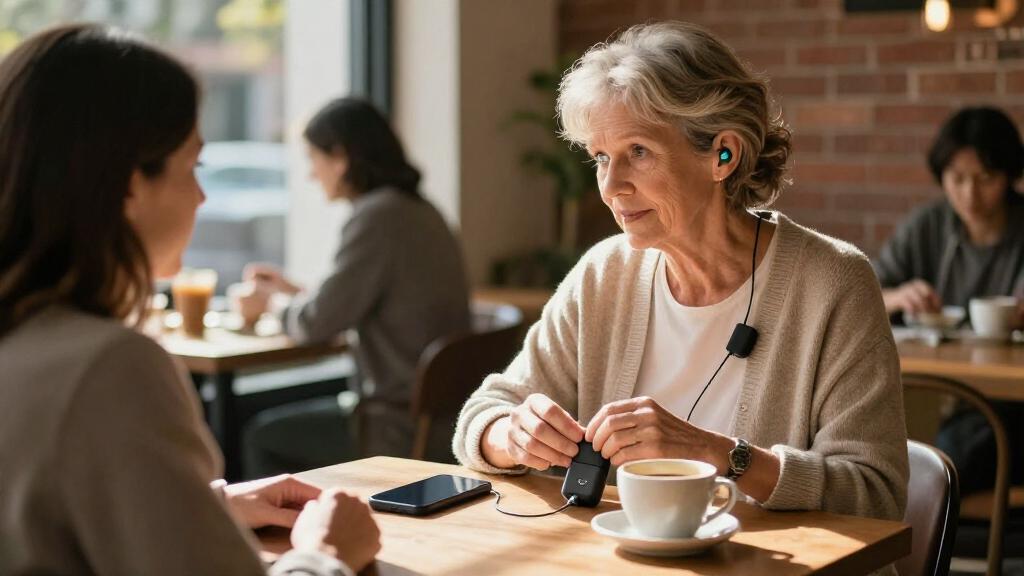

Bluetooth hearing aid streamers send TV or other audio directly to compatible hearing aids, but the right choice depends on your hearing aid brand, intended use, and connection method. My best overall pick is the Oticon ConnectClip for its broader everyday role as a remote microphone and audio streamer, while the Phonak TV Connector is a strong brand-specific choice for compatible Phonak aids and the Avantree Audikast 4HA stands out for Auracast TV setups. The main tradeoffs are brand compatibility versus cross-device flexibility, and familiar TV-streaming connections versus newer Auracast support. A transmitter that works with one hearing aid family may not pair with another, even when both use Bluetooth. Read on for the full breakdown and guidance on choosing a streamer that fits your devices and listening habits.

Get everyday helpers delivered free with Prime
- Fast, free delivery on millions of items
- Prime Video, Amazon Music and more included
- Member-only deals all year
Complete the kit


Key Takeaways
- Hearing aid compatibility matters more than the Bluetooth label: brand-specific options such as the Phonak TV Connector and Signia Connexx TV Sound Streamer are intended for particular hearing aid ecosystems.
- The ConnectClip is the most versatile pick in this lineup: unlike the TV-focused transmitters, it also serves as a remote microphone for compatible Oticon hearing aids.
- Auracast is a forward-looking feature, not a guarantee of universal pairing: SUNITEC BT618T, Avantree Audikast 4HA, Voyager HA, HomeSpot BA210 v2, and Audikast 4T still require compatible receiving devices and setup.
- TV transmitters solve a narrower problem than everyday streamers: Phonak, ReSound/Jabra, Widex, Signia, and Trihear options are most relevant when their supported hearing aids and TV connections match your setup.
- Similar product names can hide different compatibility targets: the two Phonak TV Connector listings and three Avantree Auracast models should be checked by exact model and hearing aid support before purchase.
| Oticon ConnectClip Bluetooth Streamer and Remote Microphone |  | Best for Everyday Listening and Conversations | Connectivity: Bluetooth | Functions: Audio streaming, hands-free calls, remote microphone, hearing aid controls | Battery: Rechargeable | VIEW LATEST PRICE | See Our Full Breakdown |
| SUNITEC BT618T Auracast and Bluetooth 5.4 TV Audio Transmitter |  | Best for Flexible TV Connections and Auracast Broadcasting | Model: BT618T | Bluetooth version: 5.4 | Chipset: Qualcomm QCC3086 | VIEW LATEST PRICE | See Our Full Breakdown |
| Avantree Audikast 4HA Auracast TV Transmitter for Selected Hearing Aids |  | Best for Selected Auracast Hearing Aids | Model: Audikast 4HA | Connectivity: Bluetooth and Auracast | Supported standard: Bluetooth 5 | VIEW LATEST PRICE | See Our Full Breakdown |
| TV Streamer+ for ReSound Sensia, Vivia, Nexia, Savi, and Jabra Enhance Pro 20 & 30 Hearing Aids |  | Best for Simple ReSound and Jabra TV Listening | Compatible hearing aids: ReSound Sensia, Vivia, Nexia, Savi; Jabra Enhance Pro 20 and 30 | Connectivity: Wireless TV audio streaming | Setup: Plug and play | VIEW LATEST PRICE | See Our Full Breakdown |
| Phonak TV Connector Wireless Audio Streaming Device for Hearing Aids |  | Best for Phonak TV and Stereo Streaming | Compatibility: Phonak Marvel, Paradise, Lumity, Audéo, Naída, and Bolero hearing aids | Inputs: Optical TOSLINK, 3.5 mm AUX | Wireless range: Up to 15 meters (50 feet) | VIEW LATEST PRICE | See Our Full Breakdown |
| Avantree Voyager HA Auracast Transmitter with OLED Display |  | Best for Portable Auracast Broadcasting | Connectivity: Auracast; Bluetooth 5.4 | Supported codecs: LC3 24K; aptX Adaptive | Input: 3.5 mm AUX | VIEW LATEST PRICE | See Our Full Breakdown |
| Widex COM-DEX Bluetooth Audio Streamer for Hearing Aids |  | Best for Widex Hands-Free Calls | Compatibility: Compatible Widex hearing aids | Connectivity: Bluetooth | Microphone: Built-in | VIEW LATEST PRICE | See Our Full Breakdown |
| Trihear ClearTV Bluetooth TV Streamer for Compatible Hearing Aids |  | Best for Two-Pair TV Listening | Model: CT001 | Compatibility: Bluetooth-enabled Pho and Uni model hearing aids | Maximum connections: 2 pairs (4 devices) | VIEW LATEST PRICE | See Our Full Breakdown |
| Signia Connexx TV Sound Streamer for Hearing Aids |  | Best for Signia and Connexx TV Setups | Model: Connexx TV Sound V1.2 | Compatibility: Bluetooth-enabled Signia and Connexx hearing aids | Audio inputs: Optical and analog | VIEW LATEST PRICE | See Our Full Breakdown |
| HomeSpot BA210 v2 Auracast Bluetooth Transmitter |  | Best for Flexible TV Connections | Connectivity: Bluetooth; Auracast | Audio codecs: LC3; aptX Lossless; aptX HD | Audio inputs: 3.5 mm AUX; RCA; Toslink Optical | VIEW LATEST PRICE | See Our Full Breakdown |
| TV Connector for Phonak Hearing Aids |  | Best for Phonak Owners | Compatible hearing aids: Phonak Lumity, Paradise, and Marvel | Compatible audio sources: TVs, PCs, laptops, and HiFi systems | Wireless range: Up to 15 meters (50 feet) | VIEW LATEST PRICE | See Our Full Breakdown |
| Avantree Audikast 4T Auracast TV Transmitter for Selected Hearing Aids |  | Best for Auracast Flexibility | Connectivity: Bluetooth and Auracast | Bluetooth version: 5.4 | Audio inputs: Optical TOSLINK and 3.5 mm AUX | VIEW LATEST PRICE | See Our Full Breakdown |
| Bluetooth hearing aid streamer | Connectivity | Warranty |
|---|---|---|
| Oticon ConnectClip Bluetooth S | Bluetooth | — |
| SUNITEC BT618T Auracast and Bl | — | — |
| Avantree Audikast 4HA Auracast | Bluetooth and Auracast | 24 months |
| TV Streamer+ for ReSound Sensi | Wireless TV audio streaming | — |
| Phonak TV Connector Wireless A | — | — |
| Avantree Voyager HA Auracast T | Auracast; Bluetooth 5.4 | 24 months |
| Widex COM-DEX Bluetooth Audio | Bluetooth | 1 year |
| Trihear ClearTV Bluetooth TV S | — | — |
| Signia Connexx TV Sound Stream | — | 1 year |
| HomeSpot BA210 v2 Auracast Blu | Bluetooth; Auracast | 1 year |
| TV Connector for Phonak Hearin | — | 1 year |
| Avantree Audikast 4T Auracast | Bluetooth and Auracast | 24 months |
More Details on Our Top Picks
Oticon ConnectClip Bluetooth Streamer and Remote Microphone
The Oticon ConnectClip is the most versatile personal streamer here: it sends audio from compatible Bluetooth devices to Oticon hearing aids, supports hands-free calls, and doubles as a remote microphone. That last function gives it an advantage over TV-focused options such as the Phonak TV Connector, which is designed to relay sound from a nearby audio source rather than help with conversations away from the TV. Its clip-on form and rechargeable battery suit regular carry-around use, while hearing aid controls add convenience without requiring a separate remote. The tradeoff is a narrow compatibility list: it is specified for Oticon Real, More, and Opn hearing aids, not as a universal Bluetooth receiver. Choose it for mixed phone, streaming, and conversation needs; skip it if your main goal is television audio or your hearing aids are from another brand.
Pros:- Streams audio from compatible Bluetooth devices to supported Oticon hearing aids.
- Built-in microphone supports hands-free phone calls.
- Remote-microphone function can bring a nearby speaker’s voice closer in noisy settings.
- Rechargeable, clip-on design is suited to carrying throughout the day.
Cons:- Compatibility is limited to Oticon Real, More, and Opn hearing aids.
- Its multiple functions may be unnecessary for someone seeking only a simple TV audio link.
Best for: Oticon Real, More, or Opn users who want one carryable device for Bluetooth audio, hands-free calls, and remote-microphone listening.
Not ideal for: People with hearing aids outside the listed Oticon series, or buyers who only need a dedicated TV transmitter.
- Connectivity:Bluetooth
- Functions:Audio streaming, hands-free calls, remote microphone, hearing aid controls
- Battery:Rechargeable
- Attachment:Clip-on
- Compatible hearing aids:Oticon Real, More, and Opn
- Audio use:Streams from compatible Bluetooth devices
Our verdict“Choose the ConnectClip if you use a supported Oticon model and want calls, personal audio, and remote-microphone support in one device.”
SUNITEC BT618T Auracast and Bluetooth 5.4 TV Audio Transmitter
The SUNITEC BT618T stands out for source flexibility: HDMI ARC, optical, AUX, and microphone inputs make it easier to connect different TVs and audio gear than the Avantree Audikast 4HA, which is specified for optical or AUX TV output. It can broadcast to Auracast-enabled devices or transmit to one Bluetooth device, and wired soundbar passthrough lets other listeners keep using a soundbar while a wireless listener hears the broadcast. Three EQ modes, including Vocal Boost, offer a way to tailor sound for speech. The main catch is compatibility: Auracast requires a suitable LE Audio receiver, and hearing aids may need the feature enabled in their app. Its listed open-area range does not guarantee the same coverage indoors. Pick it for a flexible home setup, not for a hearing aid that lacks Auracast support.
Pros:- Supports Auracast broadcasting and classic Bluetooth transmission to one Bluetooth device.
- Offers HDMI ARC, optical, AUX, and microphone inputs.
- Wired soundbar passthrough can keep shared TV audio available during wireless transmission.
- Vocal Boost, Balanced, and Bass Boost EQ modes provide listening adjustments.
Cons:- Auracast listening requires compatible LE Audio devices and may require setup in a hearing aid app.
- Broadcast devices may need to join after the broadcast has started.
- The listed 100 m range applies to open areas and may not reflect performance through indoor walls.
Best for: Households with Auracast-capable hearing aids or receivers that need several input options and want to keep a wired soundbar active.
Not ideal for: Buyers whose hearing aids do not support Auracast or LE Audio, or anyone seeking a brand-specific plug-and-play streamer.
- Model:BT618T
- Bluetooth version:5.4
- Chipset:Qualcomm QCC3086
- Audio codecs:LC3, aptX Adaptive, aptX HD, AAC, SBC
- Maximum audio resolution:24-bit/96 kHz
- Inputs:HDMI ARC, optical (TOSLINK), 3.5 mm AUX, microphone
- Wireless range:Up to 100 m (330 ft) in open areas
- EQ modes:Vocal Boost, Balanced, Bass Boost
- Passthrough:Wired soundbar output while streaming or broadcasting wirelessly
Our verdict“Choose the BT618T for a flexible, multi-input Auracast setup, provided your hearing aids or receiver support the broadcast standard.”
Avantree Audikast 4HA Auracast TV Transmitter for Selected Hearing Aids
The Avantree Audikast 4HA is a dedicated TV transmitter for a narrower audience: people with one of its selected Auracast-enabled hearing aid models. It connects through optical or AUX and sends stereo TV audio to compatible aids, with volume adjusted in the hearing aid or companion app. Compared with the more connection-heavy SUNITEC BT618T, the Audikast 4HA has fewer input choices and no listed soundbar passthrough, but its focused purpose may make sense if you only want to join a TV broadcast. Setup takes an extra step because the broadcast must first be joined through the hearing aid app. TV speaker behavior also depends on the television’s audio settings. USB-C firmware updates offer a way to receive software changes, but they do not broaden hearing aid compatibility.
Pros:- Streams TV audio directly to compatible Auracast hearing aids.
- Supports optical and AUX TV outputs.
- Volume can be adjusted through the hearing aid or companion app.
- Firmware can be updated through USB-C.
Cons:- Works only with selected Auracast-enabled hearing aid models.
- Initial broadcast setup requires joining through the hearing aid app.
- Whether TV speakers remain active depends on the TV and its audio settings.
Best for: Owners of a specifically supported Auracast hearing aid who want a dedicated transmitter for a TV with optical or AUX output.
Not ideal for: People with non-Auracast hearing aids, users who need HDMI ARC or soundbar passthrough, or anyone wanting setup without an app step.
- Model:Audikast 4HA
- Connectivity:Bluetooth and Auracast
- Supported standard:Bluetooth 5
- TV connections:Optical or AUX
- Power source:Corded electric
- Installation:Wired
- Audio output mode:Stereo
- Firmware updates:USB-C
- Warranty:24 months
Our verdict“Pick the Audikast 4HA if your hearing aids are on its supported Auracast list and you want a focused optical-or-AUX TV link.”
TV Streamer+ for ReSound Sensia, Vivia, Nexia, Savi, and Jabra Enhance Pro 20 & 30 Hearing Aids
The TV Streamer+ is the straightforward choice for owners of its listed ReSound or Jabra hearing aids. Its plug-and-play setup and independent volume control address two common household needs: getting TV sound into the hearing aids without a complicated broadcast-joining process, and listening at a different level from everyone else. Unlike the Avantree Audikast 4HA, which requires initial joining through a companion app and is limited to selected Auracast models, this streamer is presented as a direct match for specific ReSound and Jabra lines. The tradeoff is that the compatibility list is just as decisive: it is not a general-purpose Bluetooth transmitter, and the product data does not specify input types or a distance figure. Choose it for a supported aid and uncomplicated TV use; look elsewhere if you need broader source connections or cross-brand support.
Pros:- Streams TV audio directly to the listed compatible ReSound and Jabra hearing aids.
- Independent volume adjustment lets the listener change hearing aid volume without changing the TV level for others.
- Plug-and-play setup is simpler than the app-based broadcast joining described for the Audikast 4HA.
- Wireless listening allows movement around the room.
Cons:- Compatibility is limited to the named ReSound and Jabra hearing aid models.
- A compatible hearing aid is required; it is not a universal Bluetooth TV transmitter.
- Product data does not specify input connections or a wireless range.
Best for: ReSound Sensia, Vivia, Nexia, or Savi users and Jabra Enhance Pro 20 or 30 users who want independent TV volume and simple setup.
Not ideal for: People with other hearing aid models, or buyers who need specified HDMI, optical, AUX, or multi-device broadcast options.
- Compatible hearing aids:ReSound Sensia, Vivia, Nexia, Savi; Jabra Enhance Pro 20 and 30
- Connectivity:Wireless TV audio streaming
- Setup:Plug and play
- Volume control:Independent hearing aid volume adjustment
- Listening range:Wireless movement around the room; distance not specified
- Primary source:TV audio
Our verdict“Choose the TV Streamer+ if you own one of its listed ReSound or Jabra aids and want simple TV listening with separate volume control.”
Phonak TV Connector Wireless Audio Streaming Device for Hearing Aids
For owners of compatible Phonak hearing aids, the Phonak TV Connector keeps TV listening simple: connect a source through optical or 3.5 mm AUX, and the device is designed to connect and stream automatically. Its 15-meter range gives listeners room to move around the home, while stereo output feeds both hearing aids. Compared with the Oticon ConnectClip, this is the more focused pick: it handles TV, computer, or stereo audio, whereas the ConnectClip adds phone calls and remote-microphone use. That focus also means fewer everyday functions, and compatibility remains limited to the listed Phonak families. A wired connection to the source is still required, so it is not a wireless-from-the-TV setup. Choose it for uncomplicated home audio with supported Phonak aids, not for mixed-brand use.
Pros:- Streams stereo audio to both compatible Phonak hearing aids.
- Automatic connection avoids manual pairing for regular listening.
- Optical TOSLINK and 3.5 mm AUX inputs support common audio outputs.
- Wireless range is listed up to 15 meters (50 feet).
Cons:- Compatibility is limited to the specified Phonak hearing aid families.
- Requires a wired connection to the TV or other audio source.
- Unlike the Oticon ConnectClip, it does not list hands-free calling or remote-microphone functions.
Best for: Phonak Marvel, Paradise, Lumity, Audéo, Naída, or Bolero users who want automatic stereo streaming from a TV, computer, or stereo.
Not ideal for: People with non-Phonak hearing aids, or buyers who want a portable remote microphone, hands-free calling, or a transmitter that needs no source cable.
- Compatibility:Phonak Marvel, Paradise, Lumity, Audéo, Naída, and Bolero hearing aids
- Inputs:Optical TOSLINK, 3.5 mm AUX
- Wireless range:Up to 15 meters (50 feet)
- Audio output:Stereo, 2 channels
- Power source:Corded electric
- Color:Black
- Package includes:TV Connector, power adapter, optical cable, 3.5 mm audio cable, user manual
Our verdict“Choose the Phonak TV Connector for automatic, wired-source TV or stereo streaming if you use one of its compatible Phonak hearing aids.”
Avantree Voyager HA Auracast Transmitter with OLED Display
I’d choose the Voyager HA when the goal is to send audio from a wired source to multiple compatible receivers, rather than connect to one hearing-aid brand’s dedicated streamer. Its Auracast broadcast can serve compatible hearing aids and Bluetooth headphones, with private mode for restricting access to authorized Auracast devices. The OLED display and touch controls make connection status easier to check than on the simpler LED-equipped HomeSpot BA210 v2. Its small, battery-powered design also suits moving between an airplane audio jack, computer, or treadmill.
The tradeoff is compatibility: a receiving device must support Auracast, and the source needs a 3.5 mm AUX connection. Unlike the Signia Connexx TV Sound Streamer, it is not a brand-specific TV solution with optical input. I’d skip it if the hearing aids lack Auracast or if you want a permanent TV hookup without a cable at the source.
Pros:- Broadcasts to multiple compatible Auracast receivers rather than requiring a single receiver connection.
- Private mode can limit the stream to authorized Auracast hearing aids.
- OLED display and touch controls show status and simplify operation.
- Battery-powered 6 g design is suited to portable use with wired audio sources.
Cons:- Receiving hearing aids or headphones must support Auracast.
- Audio sources need a 3.5 mm AUX connection.
- Not a dedicated optical-input TV streamer like the Signia Connexx TV Sound Streamer.
Best for: People with Auracast-enabled hearing aids who want a small transmitter for wired audio sources such as airplane jacks, PCs, or radios.
Not ideal for: Hearing-aid owners without Auracast support, or buyers seeking a fixed TV streamer with optical input.
- Connectivity:Auracast; Bluetooth 5.4
- Supported codecs:LC3 24K; aptX Adaptive
- Input:3.5 mm AUX
- Display and controls:OLED display; touch controls
- Audio modes:Mono; stereo
- Compatibility:Auracast-enabled hearing aids and Bluetooth headphones
- Power:Battery powered; included lithium polymer battery, 0.79 Wh
- Weight:6 g
- Warranty:24 months
Our verdict“Choose the Voyager HA for portable, wired-source broadcasting if your hearing aids support Auracast.”
Widex COM-DEX Bluetooth Audio Streamer for Hearing Aids
The Widex COM-DEX is the clearest fit here for someone who owns compatible Widex hearing aids and wants phone audio plus hands-free calling in one neck-worn accessory. Its built-in microphone and one-button call control let the streamer handle calls without requiring the phone to be held near the hearing aids. Pairing with two phones is useful for people who divide calls between a personal and work device. Compared with the Avantree Voyager HA and HomeSpot BA210 v2, this is a brand-specific wearable for everyday phone use, not a general-purpose Auracast broadcast transmitter.
The main limitation is that hearing-aid compatibility is restricted to supported Widex models, so other-brand owners should look elsewhere. The stated streaming time is up to eight hours per charge, less than the Trihear ClearTV’s stated 12 hours, and it is not the natural pick for routing TV audio to multiple households’ devices. I’d favor it for calls and mobile listening, not universal streaming.
Pros:- Streams calls, music, and other Bluetooth audio to compatible Widex hearing aids.
- Built-in microphone supports hands-free phone calls.
- One-button call control and a background-noise reduction switch provide direct call adjustments.
- Can pair with up to two phones and offers up to eight hours of streaming per charge.
Cons:- Designed for compatible Widex hearing aids rather than broad, cross-brand use.
- Up to eight hours of streaming may not cover extended all-day use without charging.
- Its neck-worn phone-focused design is less suited to fixed TV setups than the Trihear ClearTV.
Best for: Widex hearing-aid users who take frequent smartphone calls and want a neck-worn microphone and support for two paired phones.
Not ideal for: People with non-Widex hearing aids, or buyers who primarily want a TV transmitter or an Auracast broadcast to multiple brands.
- Compatibility:Compatible Widex hearing aids
- Connectivity:Bluetooth
- Microphone:Built-in
- Phone pairing:Up to two phones
- Streaming battery life:Up to 8 hours
- Charging:USB
- Controls:One-button call control; app control described in product information
- Color:Champagne White
- Warranty:1 year
Our verdict“Pick the COM-DEX if you use compatible Widex hearing aids and want a wearable Bluetooth link focused on hands-free calls.”
Trihear ClearTV Bluetooth TV Streamer for Compatible Hearing Aids
For a household where two people want to hear the same television through compatible hearing aids, the Trihear ClearTV has a specific advantage: it can connect to two pairs at once. Its low-latency stereo transmission is aimed at keeping speech and picture in sync, while the built-in display reports pairing status, volume, and battery level. That makes it more useful for shared TV listening than the phone-oriented Widex COM-DEX, and its stated 20 m range gives viewers some room to move around.
Its central drawback is a narrow compatibility list: it works with supported Pho and Uni Bluetooth hearing aids, not hearing aids generally. The product information also conflicts about power, listing both a rechargeable lithium-ion battery and a required 9V battery; I would verify the included power arrangement before buying. Unlike the Signia Connexx TV Sound Streamer, this is not a Signia/Connexx-specific option. Choose it only if your devices are listed as compatible and the power details are clear.
Pros:- Can stream to two pairs of compatible hearing aids simultaneously.
- Low-latency stereo is intended to keep TV sound aligned with video.
- Display shows pairing status, volume, and battery level.
- Stated wireless range is up to 20 m (66 ft).
Cons:- Compatibility is limited to supported Pho and Uni Bluetooth hearing-aid models.
- Product information conflicts on whether it uses a rechargeable battery or requires a 9V battery.
- Its hearing-aid-specific TV role is less flexible than the HomeSpot BA210 v2’s broader input and receiver options.
Best for: Households with two pairs of supported Pho or Uni hearing aids that want to listen to the same TV audio together.
Not ideal for: Owners of other hearing-aid brands, or buyers who need unambiguous battery and power information before purchase.
- Model:CT001
- Compatibility:Bluetooth-enabled Pho and Uni model hearing aids
- Maximum connections:2 pairs (4 devices)
- Wireless range:20 m (66 ft)
- Audio:Low-latency stereo
- Battery life:Up to 12 hours
- Battery information:Lithium-ion rechargeable battery listed; product information also states a 9V battery is required
- Weight:50 g
Our verdict“Consider the ClearTV for shared television listening only if both pairs of hearing aids are compatible and you confirm its power requirements.”
Signia Connexx TV Sound Streamer for Hearing Aids
The Signia Connexx TV Sound Streamer is the straightforward choice for a viewer with compatible Signia or Connexx hearing aids who wants TV audio delivered directly to their own devices. Independent listening volume is its key practical benefit: the listener can adjust their hearing-aid sound without changing the television volume for everyone else. Optical and analog inputs cover common TV connections, and USB power suits a stationary setup. Compared with the portable, AUX-only Avantree Voyager HA, it is better tailored to a living-room installation; unlike the Trihear ClearTV, it is tied to a different hearing-aid family.
That brand restriction is the main reason to skip it: Bluetooth support alone does not make an arbitrary hearing aid compatible. The unit also needs a physical connection to the TV and USB power, so it is not a portable source-to-receiver accessory. Its included cables help with setup, but buyers should confirm their TV output and hearing-aid model match before choosing it.
Pros:- Sends TV audio directly to compatible Bluetooth-enabled Signia and Connexx hearing aids.
- Lets the listener adjust hearing-aid volume independently of the TV.
- Supports simultaneous streaming to multiple hearing aids.
- Includes optical and analog audio inputs and their connection cables.
Cons:- Compatibility is limited to Bluetooth-enabled Signia and Connexx hearing aids.
- Requires a physical TV audio connection and USB power.
- Its fixed TV role is less suitable for portable use than the battery-powered Avantree Voyager HA.
Best for: Signia or Connexx hearing-aid owners who want a dedicated wired TV connection and independent listening volume.
Not ideal for: People with other hearing-aid brands, or buyers who need a portable streamer or wireless connection from the TV to the transmitter.
- Model:Connexx TV Sound V1.2
- Compatibility:Bluetooth-enabled Signia and Connexx hearing aids
- Audio inputs:Optical and analog
- Simultaneous streaming:Multiple hearing aids
- Power:USB cable to port
- Dimensions:3.5 in L × 0.5 in W
- Weight:6 oz
- Included components:TV Sound device, analog audio cable, Micro USB cable, optical TOSLINK cable
- Warranty:1 year
Our verdict“Choose the Connexx TV Sound Streamer for a fixed TV setup if you own compatible Signia or Connexx hearing aids.”
HomeSpot BA210 v2 Auracast Bluetooth Transmitter
The HomeSpot BA210 v2 earns its place for source flexibility: it accepts AUX, RCA, and Toslink Optical, and offers both standard Bluetooth A2DP and Auracast modes. That makes it a stronger fit than the AUX-only Avantree Voyager HA for buyers connecting different TVs or audio equipment, while its Auracast broadcast can reach multiple compatible receivers. HQ and SQ modes give listeners a choice between the listed broadcast options, and the desktop app can change broadcast name and volume.
There are two meaningful limits. First, optical TV audio must be set to PCM; Dolby and DTS are not supported, so some setups require changing TV audio settings. Second, multi-receiver broadcasting depends on Auracast-compatible hearing aids or headphones. The stated range reaches up to 330 ft in open air with Auracast, but indoor range is listed as 50–80 ft, so I would not treat the open-air figure as a typical home result. It is more adaptable than the brand-specific Signia streamer, but requires more compatibility and setup checks.
Pros:- Supports standard Bluetooth A2DP and Auracast broadcast modes.
- AUX, RCA, and Toslink Optical inputs accommodate a range of audio sources.
- Can broadcast to multiple Auracast-compatible receivers.
- Desktop app and physical buttons provide options for adjusting broadcast name and volume.
Cons:- Optical TV output must be set to PCM; Dolby and DTS are not supported.
- Multi-receiver Auracast use requires compatible hearing aids, headphones, or receivers.
- Range varies by mode and setting, with indoor Auracast range listed below the open-air maximum.
Best for: People connecting a TV or several audio sources who want AUX, RCA, and optical inputs plus a choice of standard Bluetooth or Auracast.
Not ideal for: Buyers whose TV only outputs Dolby or DTS over optical and cannot be set to PCM, or those without Auracast receivers seeking multi-device broadcasting.
- Connectivity:Bluetooth; Auracast
- Audio codecs:LC3; aptX Lossless; aptX HD
- Audio inputs:3.5 mm AUX; RCA; Toslink Optical
- Modes:Bluetooth A2DP; Auracast HQ; Auracast SQ
- Range:Up to 165 ft (50 m) line of sight in standard mode; 50–80 ft (15–25 m) indoors; up to 330 ft (100 m) in open air with Auracast
- Controls:App control and buttons
- App:QK CastTool desktop app
- Display:LED
- Warranty:1 year
Our verdict“Pick the BA210 v2 if you need several input options and have checked that your TV output and receiving devices support its chosen mode.”
TV Connector for Phonak Hearing Aids
For someone with a Phonak Lumity, Paradise, or Marvel hearing aid, this connector keeps TV streaming straightforward: connect a TV, computer, laptop, or HiFi system, then let automatic pairing link nearby compatible aids. Its support for multiple hearing aids suits households where more than one listener wants the same audio, while the 15-meter range gives room to move around without staying beside the TV. Compared with the Avantree Audikast 4T, this is the more hearing-aid-specific option; the Audikast 4T reaches a broader set of devices through Auracast and classic Bluetooth, but only works directly with compatible Auracast hearing aids. The tradeoff is strict Phonak model compatibility, and initial pairing requires the aids to be within one meter. Choose it for a compatible Phonak setup, not as a general-purpose Bluetooth transmitter.
Pros:- Streams audio from TVs, computers, laptops, and HiFi systems.
- Automatically detects compatible Phonak hearing aids for pairing.
- Supports multiple hearing aids and wireless streaming up to 15 meters.
- Can be powered by USB or a power plug.
Cons:- Compatible only with Phonak Lumity, Paradise, and Marvel hearing aids.
- Initial pairing requires the hearing aids to be within one meter of the connector.
Best for: Phonak Lumity, Paradise, or Marvel owners who want a dedicated TV and computer audio connection that can serve multiple hearing-aid listeners.
Not ideal for: People with other hearing-aid brands, or Phonak owners who need a transmitter to connect to a wide range of Bluetooth headphones and Auracast devices.
- Compatible hearing aids:Phonak Lumity, Paradise, and Marvel
- Compatible audio sources:TVs, PCs, laptops, and HiFi systems
- Wireless range:Up to 15 meters (50 feet)
- Pairing:Automatic; detects compatible hearing aids within 1 meter (3 feet)
- Multi-listener support:Unlimited number of hearing aids
- Power:USB or power plug
- Controls:Button control
- Warranty:1 year
Our verdict“Choose this dedicated streamer if you own compatible Phonak hearing aids and want simple shared TV audio, but skip it if you need cross-brand compatibility.”
Avantree Audikast 4T Auracast TV Transmitter for Selected Hearing Aids
The Audikast 4T is the more flexible pick for households that want one transmitter to serve Auracast-compatible hearing aids as well as Bluetooth headphones or speakers. It offers Auracast and classic Bluetooth modes, with optical TOSLINK and 3.5 mm AUX inputs for TVs that provide either output. That broader device mix contrasts with the TV Connector for Phonak Hearing Aids, which pairs simply but is limited to named Phonak families. The Audikast 4T’s codec support, including aptX Adaptive and aptX HD, may also suit compatible receivers, though the codec benefit depends on the receiving device. The key limitation is compatibility: direct hearing-aid streaming requires a selected Auracast model, and classic Bluetooth mode connects to one headphone or speaker. Check your TV’s audio outputs and hearing-aid compatibility before choosing it.
Pros:- Offers both Auracast broadcast and classic Bluetooth connection modes.
- Works with optical TOSLINK or 3.5 mm AUX audio inputs.
- Supports compatible Bluetooth receivers using aptX Adaptive or aptX HD.
- USB-C powered and supports firmware upgrades.
Cons:- Direct hearing-aid streaming is limited to compatible Auracast models.
- Requires a TV with an optical TOSLINK or 3.5 mm AUX output.
- Classic Bluetooth mode connects to one headphone or speaker.
Best for: TV viewers with Auracast-compatible hearing aids—or Bluetooth headphones—who want a transmitter that can switch between broadcast and classic Bluetooth modes.
Not ideal for: People whose hearing aids lack Auracast support, or anyone whose TV has neither optical TOSLINK nor 3.5 mm AUX output.
- Connectivity:Bluetooth and Auracast
- Bluetooth version:5.4
- Audio inputs:Optical TOSLINK and 3.5 mm AUX
- Supported codecs:aptX Adaptive, aptX HD, aptX, SBC, and LC3
- Supported devices:Bluetooth headphones, earbuds, and Auracast-compatible hearing aids
- Power:USB-C
- Dimensions:2.7 x 2.9 x 2.6 inches
- Warranty:24 months
Our verdict“Choose the Audikast 4T for Auracast-ready hearing aids or mixed Bluetooth listening, provided your TV has a supported audio output.”
How We Picked
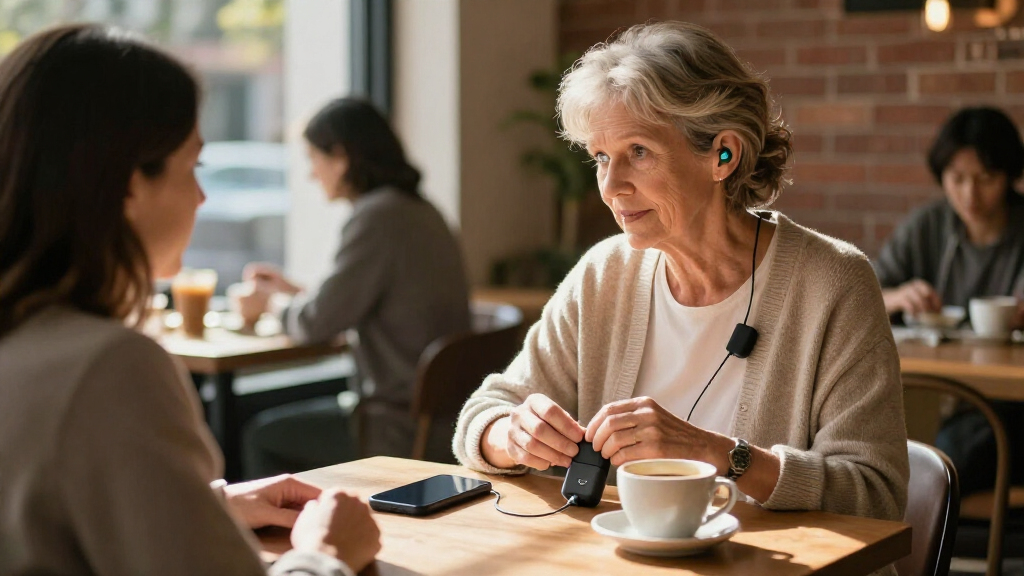
I ranked these products by how well they address the actual job implied by “Bluetooth hearing aid streamer”: getting audio to hearing aids reliably, with a setup the intended buyer can use. The main criteria were stated hearing aid compatibility, whether the device focuses on TV or supports broader everyday audio, the connection approach, and practical setup cues such as an OLED display. I gave more weight to clear use cases than to headline wireless specifications, because Bluetooth and Auracast alone do not prove that a transmitter will pair with a particular hearing aid.
The order favors products with a distinct role and a clear reason to choose them, rather than treating every transmitter as interchangeable. The Oticon ConnectClip ranks first for its combination of streaming and remote-microphone use; brand-matched TV devices follow when they offer a direct fit for their hearing aid families. Auracast models rank as options for compatible newer setups, with their broader potential balanced against the need to verify receiver support. I also distinguish listings that appear similar, since a name or generation difference can affect compatibility and the buyer should confirm the exact model with the hearing care provider or manufacturer.
| Bluetooth hearing aid streamer | Connectivity |
|---|---|
| Oticon ConnectClip Bluetooth S | Bluetooth |
| SUNITEC BT618T Auracast and Bl | — |
| Avantree Audikast 4HA Auracast | Bluetooth and Auracast |
| TV Streamer+ for ReSound Sensi | Wireless TV audio streaming |
| Phonak TV Connector Wireless A | — |
| Avantree Voyager HA Auracast T | Auracast; Bluetooth 5.4 |
| Widex COM-DEX Bluetooth Audio | Bluetooth |
| Trihear ClearTV Bluetooth TV S | — |
| Signia Connexx TV Sound Stream | — |
| HomeSpot BA210 v2 Auracast Blu | Bluetooth; Auracast |
| TV Connector for Phonak Hearin | — |
| Avantree Audikast 4T Auracast | Bluetooth and Auracast |
Factors to Consider When Choosing Bluetooth Hearing Aid Streamers
Before choosing a streamer, start with the hearing aids rather than the transmitter. The same wireless feature name can describe devices that serve different roles or only work with selected hearing aid families. These checks can prevent a frustrating mismatch and help you decide whether a brand-specific TV accessory or a more flexible transmitter better suits your routine.
Check the Exact Hearing Aid Model, Not Just the Brand
A brand match is a useful starting point, but it does not prove that every hearing aid in that brand’s range supports a given accessory. Model generations and regional versions may use different wireless systems, so confirm the exact hearing aid model and accessory pairing rules before ordering. Ask whether pairing is direct or requires an intermediary device, and whether both hearing aids receive audio. This is especially relevant when comparing listings with broad names such as “for hearing aids” against products that identify a specific family. A hearing care professional can often verify the pairing details more quickly than a product title can. Choosing by brand alone is one of the easiest ways to buy a transmitter that cannot connect.
Decide Whether You Need TV Audio or Everyday Streaming
Many products in this roundup are TV transmitters, so they solve one main problem: sending television sound to compatible hearing aids. A remote microphone or general-purpose streamer may be more useful if you also want help hearing a conversation in a noisy room or need audio from other sources. Think through where you would use the device on an ordinary week, rather than choosing the option with the longest feature list. A TV-only accessory can be simpler when television is the sole goal, while a multipurpose device may justify a more involved setup if you need it beyond the living room. Avoid expecting a TV transmitter to replace a remote microphone unless the maker explicitly lists that function.
Treat Auracast Compatibility as a Two-Sided Requirement
Auracast transmitters can appeal to buyers planning around newer broadcast-audio systems, but both the transmitter and the hearing aids must support the needed Auracast functions. The presence of Auracast in a product name does not mean it will connect to every Bluetooth hearing aid. Check whether your hearing aids can receive Auracast directly, whether a separate accessory is needed, and how the audio broadcast is selected or secured. If your current aids lack support, a conventional brand-specific streamer may be the more dependable match today. Buyers upgrading hearing aids soon may weigh future compatibility more heavily, but should still confirm what works with their present equipment.
Match the TV’s Outputs and Your Listening Setup
Before buying a TV streamer, check the television’s available audio outputs and the transmitter’s supported inputs. Optical, analog, and HDMI-related connections are not interchangeable, and some TVs require an audio-output setting change before sound reaches an accessory. Also decide whether other people in the room should continue hearing the TV through its speakers while you stream to your hearing aids. Audio delay can affect lip synchronization, so look for clear information about latency and whether the device supports a suitable setting. A small amount of preparation—checking the TV manual and output ports—can matter more than choosing a transmitter with newer wireless branding.
Balance Easy Setup Against Flexibility
A dedicated streamer made for one hearing aid family can be easier to pair and operate than a more general transmitter, but it may be less useful if you change hearing aids or want to connect other listeners. A display can make setup status and selected modes easier to read, while a simpler device may have fewer controls to learn. Consider who will install and manage the device: a household member comfortable with audio settings may welcome extra connection choices, while a buyer seeking a straightforward TV routine may prefer a narrower accessory. Check how reconnection works after the TV or streamer is turned off, since daily usability depends on more than initial pairing. Flexibility is only a benefit when you are willing to configure and maintain it.
Compare Model Numbers and Support Before Buying
Several products here have closely related names, including two Phonak TV Connector listings and multiple Avantree Auracast transmitters. Similar naming does not establish that the hardware, supported connections, or pairing process are identical. Verify the full model number, included cables, firmware or app requirements, and the manufacturer’s current compatibility list. Also check what support is available if pairing fails, since hearing aid accessories can involve both the hearing aid maker and the transmitter maker. If the listing leaves a key compatibility detail unclear, ask for confirmation before purchasing rather than relying on a general Bluetooth claim. This step is especially useful when buying for someone who cannot easily troubleshoot the setup themselves.
Frequently Asked Questions
Will any Bluetooth hearing aid streamer work with my hearing aids?
No. Bluetooth hearing aids do not all use the same accessory profiles or pairing systems, and some transmitters are designed for selected models from one manufacturer. Check the hearing aid model number against the streamer’s compatibility information before buying. If that information is unclear, ask your hearing care provider or the manufacturer to confirm the exact pairing. Do not assume that a phone connection means the hearing aids can also pair with a TV transmitter.
Should I choose an Auracast transmitter or a brand-specific TV streamer?
Choose based on what your hearing aids can receive now and what audio sources you want to use. Auracast may suit compatible newer hearing aids or a setup planned around broadcast audio, but support must exist on the receiving side too. A brand-specific TV streamer can be a more direct match when your hearing aids are listed as compatible and your main goal is watching television. If you are unsure, ask your hearing care provider to verify whether your current aids receive Auracast directly or need another accessory.
Can I use one streamer for both my television and phone calls?
That depends on the streamer’s listed functions and how your hearing aids handle simultaneous connections. Many devices in this roundup are intended mainly for TV audio, while the Oticon ConnectClip has a broader role that includes remote-microphone use for compatible aids. Your hearing aids may already connect to a phone separately, but that does not mean a TV transmitter can route calls. Check whether the accessory supports multiple sources and how it behaves when a call arrives during streaming. A manufacturer or hearing care professional can clarify the behavior for your exact hearing aid model.
Will other people still hear the television while I stream audio to my hearing aids?
Often they can, but the result depends on the TV’s audio output settings and the transmitter connection. Some televisions keep their speakers active when an external audio device is connected; others mute them or offer a setting to control speaker output. Check the TV manual or test the relevant output option before choosing a streamer. If shared listening matters, confirm that the transmitter and TV can support the arrangement you want. This can prevent a setup that works for the hearing aid wearer but silences the rest of the room.
What should I do if a streamer pairs but the TV sound is delayed or absent?
First check that the TV is sending audio through the output connected to the transmitter and that the selected audio format is supported. Then confirm the hearing aids are paired to the intended device and that streaming has been activated through their normal controls or app. If sound is delayed, look for TV audio synchronization settings or a latency adjustment supported by the equipment. Restarting devices may help after a settings change, but repeated pairing attempts will not fix an unsupported connection. If the problem continues, provide both model numbers to the hearing aid provider or manufacturer support team.
Conclusion
For the broadest role in this lineup, I recommend the Oticon ConnectClip as the best overall pick, especially for compatible Oticon users who want more than TV audio. For a direct television setup, the Phonak TV Connector is the best brand-specific choice for compatible Phonak hearing aids; confirm the exact listing and model before buying. The Avantree Audikast 4HA is my pick for buyers building a compatible Auracast TV setup, while the Avantree Voyager HA may suit those who value an OLED display during setup. For beginners, I would favor the streamer explicitly matched to their hearing aid model and ask the hearing care provider to confirm pairing before purchase. For everyday conversation support, the ConnectClip’s remote-microphone role is the standout; for TV-focused use with ReSound or Jabra Enhance Pro models, check the listed compatibility of the TV Streamer+. The best choice is the one confirmed to work with your exact hearing aids and the audio source you use most.