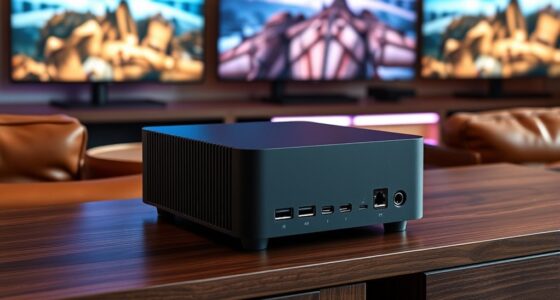
Choosing speech-to-text software tailored for hearing-impaired users involves balancing accuracy, ease of use, device compatibility, and real-time transcription capabilities. Among this year’s top options, AI VoiceWriter stands out for its multi-platform support and AI editing features, while AI Voice Recorder & Transcriber excels in portable, long-duration recordings with broad language support. Nuance Dragon NaturallySpeaking Home offers high accuracy for home dictation, but may be less suitable for real-time communication. Lastly, Philips VoiceTracer DVT4115 combines high-quality audio capture with AI transcription, ideal for in-the-moment transcription needs. Each product has unique strengths and tradeoffs, so understanding these differences helps tailor your choice to your specific needs.

Get everyday helpers delivered free with Prime
- Fast, free delivery on millions of items
- Prime Video, Amazon Music and more included
- Member-only deals all year
Key Takeaways
- Real-time transcription accuracy varies significantly between products, affecting immediate understanding.
- Device compatibility and portability are key factors depending on whether you need mobility or desktop use.
- AI-powered editing and multilingual support enhance usability but can add complexity or cost.
- Battery life and storage capacity are critical for extended use, especially in recording-heavy applications.
- Some solutions are designed specifically for assistive communication, while others focus on productivity and dictation.
| AI VoiceWriter – Smart Dictation & AI Writing Assistant for Windows & Mac |  | Best Versatile Multi-Platform Solution | Compatibility: Windows 10+, macOS 13+, iOS 15+, Android 9+ | Languages Supported: 33 | Input Method: USB dongle, Mobile app | VIEW ON AMAZON | See Our Full Breakdown |
| AI Voice Recorder & Transcriber with GPT-5.2 Analysis |  | Best for Long Recordings & Broad Language Support | Battery Life: 30 hours | Language Support: 112 languages | Connectivity: USB-C | VIEW ON AMAZON | See Our Full Breakdown |
| Nuance Dragon NaturallySpeaking Home Edition 13.0 |  | Best for Home Dictation & Transcription | VIEW ON AMAZON | See Our Full Breakdown | |||
| Philips VoiceTracer DVT4115 Digital Voice Recorder with AI Speech-to-Text |  | Best for Clear Distant Audio & Meeting Transcription | Memory Storage Capacity: 8 GB | Battery Life: 36 hours | Digital Recording Time: 89 days | VIEW ON AMAZON | See Our Full Breakdown |
| Wireless AAC Device for Speech Therapy and Assistive Communication |  | Best for Direct Assistive Communication | Voice Options: Male and female in English and Spanish | Phrases: 30 user-defined | Power: Battery-powered | VIEW ON AMAZON | See Our Full Breakdown |
More Details on Our Top Picks
AI VoiceWriter – Smart Dictation & AI Writing Assistant for Windows & Mac
AI VoiceWriter distinguishes itself by supporting multiple operating systems, making it a flexible choice for users who switch between devices. Its real-time speech-to-text accuracy is high, especially with a dedicated USB dongle, though this means a wired connection can limit mobility. Compared to software-only options like Nuance Dragon, it offers more AI-powered editing features, but it requires a plug-in device for operation, which could be less convenient for some. Its multilingual support broadens accessibility, yet setup and compatibility with certain OS versions might pose initial hurdles.
Pros:- Supports multiple operating systems and devices
- High accuracy in real-time speech recognition
- AI proofreading and rephrasing enhance productivity
- No ongoing subscription fees
Cons:- Requires plugging in the USB dongle for use
- Limited to specific OS versions
- Mobile app setup needed for full features
Best for: Users seeking a flexible, multi-device speech-to-text solution with AI editing features
Not ideal for: Those preferring a purely mobile or wireless setup without external hardware
- Compatibility:Windows 10+, macOS 13+, iOS 15+, Android 9+
- Languages Supported:33
- Input Method:USB dongle, Mobile app
- Features:Speech-to-text, AI proofreading, multilingual
- Purchase Model:One-time purchase
Our verdict“Ideal for users who need cross-platform compatibility and AI editing, but are okay with wired connectivity.”
AI Voice Recorder & Transcriber with GPT-5.2 Analysis
This portable voice recorder shines for its battery life and extensive language support, making it perfect for capturing lengthy meetings or lectures. Its noise reduction enhances clarity, and AI transcription speeds up converting recordings into text. Compared with desktop solutions, it offers unmatched portability, but its reliance on internet connectivity for AI features can be limiting in offline scenarios. Additionally, the limited free AI usage period and absence of expandable storage mean it’s better suited for occasional transcription rather than heavy-duty recording.
Pros:- Long-lasting 30-hour battery
- Supports 112 languages
- High-quality noise reduction
- Compact, portable design
Cons:- Requires internet for AI transcription
- Limited AI tools free period
- No mention of expandable storage
Best for: Professionals needing portable, long-duration recording with broad language options
Not ideal for: Users who require offline transcription or extensive storage capacity
- Battery Life:30 hours
- Language Support:112 languages
- Connectivity:USB-C
- Included AI Tools:3 months of Pro AI
- Memory:Internal storage not specified
Our verdict“A great choice for on-the-go recording with extensive language support, but limited for offline heavy use.”
Nuance Dragon NaturallySpeaking Home Edition 13.0
Compared with dedicated recording devices, Nuance Dragon offers precise voice recognition ideal for home use. Its high accuracy makes it a reliable tool for transcribing spoken words into text, especially for users who prefer desktop software. However, it’s limited to home editions and requires a compatible microphone, which might involve extra setup. It’s less suited for real-time conversations or on-the-move use, but for consistent, accurate transcription at home, it remains a solid choice despite the learning curve.
Pros:- High accuracy speech recognition
- User-friendly interface
- Reliable transcription performance
Cons:- Requires a compatible microphone
- Limited to home edition features
- Learning curve for new users
Best for: Home users needing accurate, reliable speech-to-text for personal or professional dictation
Not ideal for: Users requiring portable, real-time transcription or assistive communication devices
Our verdict“Best suited for home-based dictation where accuracy outweighs mobility or real-time conversation needs.”
Philips VoiceTracer DVT4115 Digital Voice Recorder with AI Speech-to-Text
The Philips VoiceTracer combines high-quality stereo microphones with AI transcription, making it ideal for capturing distant audio during meetings or lectures. Its long battery life and ample internal storage support extended sessions, and the remote control via smartphone adds convenience. Compared to portable recorders without AI, it offers faster transcription, but its internal storage is limited to 8GB, which may require external storage for extensive recordings. It excels for users who want reliable audio capture paired with quick transcription on the go.
Pros:- Stereo microphones for distant audio clarity
- Long battery life with 36 hours of recording
- Built-in AI speed for transcription
- Supports MP3 and PCM formats
Cons:- Limited internal storage, may need external storage
- Requires compatible smartphone app
- Not rugged or waterproof
Best for: Professionals needing high-quality audio capture and quick transcription in meetings
Not ideal for: Users with extensive recording needs exceeding 8GB or those seeking rugged devices
- Memory Storage Capacity:8 GB
- Battery Life:36 hours
- Digital Recording Time:89 days
- Microphone:Stereo
- Connectivity:USB 2.0
Our verdict“Excellent for capturing clear audio and quick transcription in professional settings, but storage may be a limiting factor.”
Wireless AAC Device for Speech Therapy and Assistive Communication
This wireless AAC device is tailored for users who need immediate, effortless communication without a computer. Its customizable phrases and voice options in English and Spanish make it accessible for a variety of users, including seniors and speech-impaired individuals. Compared with transcription-focused products, it offers simplicity and portability, but its limited phrase set and battery dependence mean it’s less versatile for large vocabularies or prolonged use. It is best suited for basic, everyday communication needs.
Pros:- Easy to operate with customizable phrases
- Portable and lightweight
- Affordable assistive communication device
Cons:- Limited to 30 predefined phrases
- Battery replacement may be frequent
- No Bluetooth or wireless range info available
Best for: Individuals needing quick, straightforward communication aid without reliance on computers
Not ideal for: Those requiring extensive vocabularies or complex language support
- Voice Options:Male and female in English and Spanish
- Phrases:30 user-defined
- Power:Battery-powered
- Compatibility:Works without a PC
Our verdict“A practical, simple tool for basic communication, but not designed for extensive language needs or complex interactions.”
How We Picked
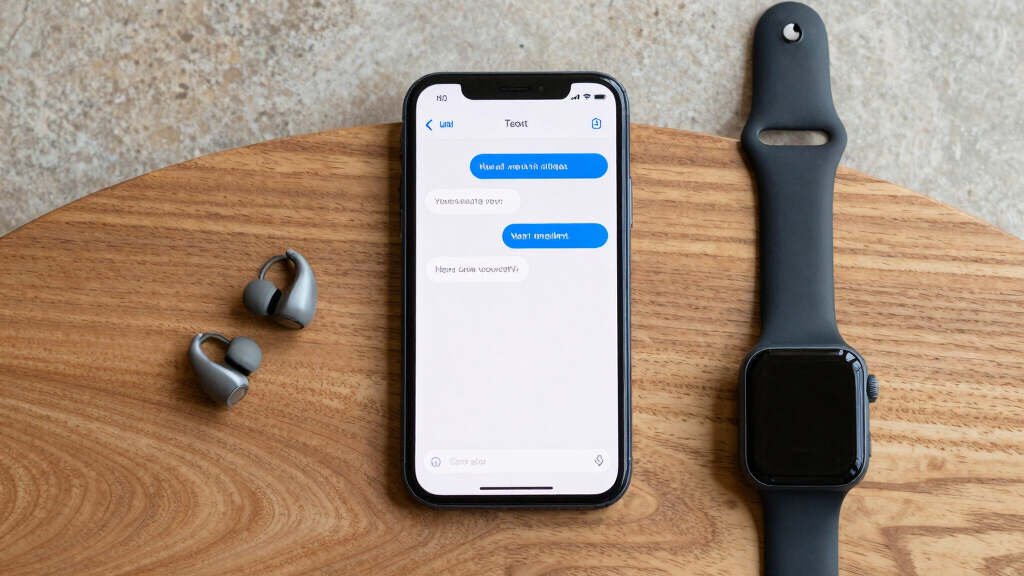
Our selection process focused on software and devices that prioritize speech-to-text functionalities for hearing-impaired users. We evaluated compatibility across common operating systems and devices, accuracy in diverse conditions, ease of use, and additional features like multilingual support and AI assistance. Consideration was given to user experience, portability, and whether the product is suited for real-time transcription or recorded content. Tradeoffs such as storage limits, need for external devices, and subscription costs were also factored into our rankings to help you find the best match for your specific needs.
Factors to Consider When Choosing Speech To Text For Hearing Impaired Software
Selecting the right speech-to-text software for hearing impairments requires understanding your primary use case—whether it’s real-time communication, long-duration recording, or assistive messaging. Key factors include device compatibility, accuracy, ease of use, and portability. Differentiating between software designed for quick transcription versus dedicated assistive devices helps narrow your options. This guide breaks down these aspects to help you find the best fit for your lifestyle and needs.Accuracy and Real-Time Performance
For hearing-impaired users, real-time transcription accuracy is vital. Software like AI VoiceWriter offers high accuracy across multiple languages and devices, making it suitable for live conversations. Conversely, products like Nuance Dragon excel in desktop dictation but may not provide the instant feedback necessary for dynamic interactions. Consider your primary environment—if you need immediate, on-the-spot transcription, prioritize solutions with proven real-time precision.
Device Compatibility and Mobility
If you need to move between locations or prefer mobile solutions, look for lightweight, portable devices such as the Philips VoiceTracer or the AI Voice Recorder. Wired solutions like AI VoiceWriter can limit mobility but may offer more stable performance, especially in noisy environments. Clarify whether you want a device that works seamlessly across smartphones, tablets, or desktops, and whether portability or stationary use is your priority.
Additional Features and Ease of Use
AI features like proofreading, rephrasing, and multilingual support can significantly enhance usability. However, they often come with increased complexity or cost. Assistive devices such as the Wireless AAC are straightforward but limited in vocabulary. Evaluate whether you need extensive vocabulary, customization, or simple, plug-and-play operation based on your comfort with technology and specific needs.
Frequently Asked Questions
What type of speech-to-text software is best for live conversations?
For real-time conversations, software that offers high accuracy and minimal latency, like AI VoiceWriter, is ideal. It supports multiple languages and devices, ensuring immediate understanding. The key is choosing a solution that provides accurate, instant transcription without lag, especially in noisy environments or group settings.
Can I use these products without an internet connection?
Some products like Nuance Dragon operate entirely offline, making them reliable for private or offline environments. Others, such as the AI Voice Recorder or Philips VoiceTracer, require internet for AI-powered transcription features, which can limit usability in areas with poor connectivity. Consider your environment and whether offline capability is essential for your use case.
Are these solutions suitable for all languages?
Language support varies widely. The AI Voice Recorder supports 112 languages, making it highly versatile for multilingual users. Conversely, some software may focus primarily on English or a limited set of languages. Choose a product aligned with your language needs, especially if you communicate in multiple languages or require specialized dialect support.
How important is device portability for hearing-impaired users?
Portability can be a game-changer, especially for users who attend meetings, lectures, or social gatherings frequently. Compact devices like the Philips VoiceTracer or Wireless AAC provide ease of use on the go. For stationary use, desktop software like Nuance Dragon might suffice, but for mobility, prioritize lightweight, battery-powered options.
What are the main tradeoffs when choosing speech-to-text solutions?
High accuracy and real-time capabilities often come with higher costs, complex setups, or hardware requirements. Portable devices may sacrifice some features or storage capacity for ease of use, while software with extensive AI features might demand reliable internet access. Balancing these tradeoffs depends on whether your priority is immediate transcription, long-term recording, or assistive communication without reliance on external hardware.
Conclusion
For users seeking robust, real-time transcription for conversations, AI VoiceWriter offers a powerful, versatile choice, especially if device compatibility across platforms is important. Those needing long-duration recordings and multilingual support may find AI Voice Recorder & Transcriber the best fit, though it’s less ideal offline. Users focused on straightforward, assistive communication will appreciate the simplicity of Wireless AAC, while individuals requiring high-accuracy dictation at home might prefer Nuance Dragon. Your decision should hinge on whether mobility, accuracy, or simplicity is your main priority, with tradeoffs balanced accordingly.
Fall Picks
fall essentials
As an affiliate, we earn on qualifying purchases.