

Contrast modes on electronic magnifiers are essential because they improve your visual clarity and make text and images easier to see. By customizing contrast, you can reduce eye strain and focus better on important details. Different modes, like high contrast or inverted colors, help tailor the display to your needs, making it more comfortable for long use. Keep exploring to discover how these features can transform your viewing experience even further.

Get everyday helpers delivered free with Prime
- Fast, free delivery on millions of items
- Prime Video, Amazon Music and more included
- Member-only deals all year
Key Takeaways
- Contrast modes improve text and image clarity, making content easier to read on magnifiers.
- They help reduce eye strain by customizing visual settings to individual needs.
- High-contrast and inverted modes enhance visibility for users with visual impairments.
- Adjusting contrast supports better focus and comprehension of complex or dense information.
- Combining contrast with color adjustments and highlighting optimizes comfort during extended use.
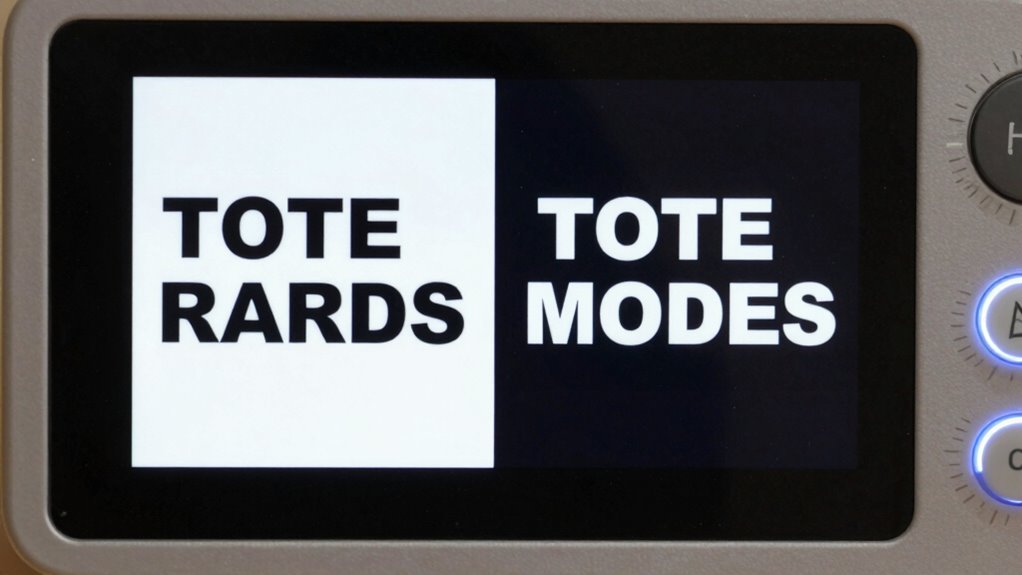
Have you ever struggled to distinguish details on a screen? If you rely on an electronic magnifier, you know how essential it is to make text and images clear and easy to interpret. Contrast modes play a fundamental role in this, allowing you to customize how information appears based on your specific visual needs. Different contrast settings, such as high contrast or inverted colors, can dramatically improve visibility by highlighting key details and reducing visual clutter. When you adjust contrast modes, you’re basically tailoring the display to match your unique eyesight, which can make a significant difference in how comfortably and efficiently you can read or view content.
Adjusting contrast modes tailors your display, making content clearer and easier to interpret for better visual comfort.
Color adjustments are another indispensable aspect of contrast modes. They enable you to alter the color schemes displayed on the magnifier, helping to enhance or soften the visual presentation. For example, some users find that black text on a white background is too glaring, while white text on a black background reduces eye strain. By switching between various color adjustments, you can find the combination that best suits your eyesight, whether it’s creating a high-contrast environment or applying more subdued tones. These options not only improve clarity but also reduce fatigue during prolonged use, making it easier for you to focus on tasks without discomfort. Understanding how visual customization can impact your overall experience allows you to make more informed adjustments that suit your needs.
Text highlighting is a feature that complements contrast modes by emphasizing specific parts of the content. It allows you to select and highlight sections of text, making them stand out against the background, which is especially helpful when reading dense documents or distinguishing between similar items. When combined with different contrast modes, text highlighting can be a powerful tool for improving comprehension and retention. Effective customization that combines these features can significantly enhance your reading experience and make content more accessible. Recognizing the importance of visual adjustments can help users optimize their settings for better readability and comfort. For individuals with visual impairments, these features work together to make reading less of a challenge and more of an accessible, tailored experience.
Ultimately, contrast modes matter because they directly influence how you perceive information on your electronic magnifier. Whether it’s through precise color adjustments or strategic text highlighting, these features give you control over your viewing environment. They help reduce eye strain, improve readability, and make it easier to focus on the details that matter most. By customizing contrast settings, you’re not just improving visual clarity—you’re empowering yourself to engage with content confidently and comfortably, no matter the visual challenges you face. Additionally, understanding the impact of contrast modes can help you choose the right settings to optimize your visual comfort and efficiency during extended use.
electronic magnifier with adjustable contrast modes
As an affiliate, we earn on qualifying purchases.
As an affiliate, we earn on qualifying purchases.
Frequently Asked Questions
Can Contrast Modes Be Customized for Individual Visual Preferences?
Yes, contrast modes can be customized for your individual visual preferences. You can adjust settings to enhance visual comfort by selecting the contrast that best suits your needs. Personal preference plays a key role, as different modes can reduce eye strain and improve clarity based on your specific vision. By tailoring contrast modes, you guarantee a more comfortable and effective viewing experience, making it easier to read or see details clearly.
Do Contrast Modes Affect Battery Life on Electronic Magnifiers?
Contrast modes do impact battery life on electronic magnifiers. When you switch to a high-contrast setting, the device’s screen uses more power, leading to increased power consumption and quicker battery drain. Think of it like turning up the brightness on your phone—your battery efficiency drops faster. To conserve energy, opt for contrast modes that balance visibility and power use, ensuring your device lasts longer for your reading and viewing needs.
Are Contrast Modes Suitable for All Types of Visual Impairments?
Contrast modes aren’t suitable for all types of visual impairments because your color perception and ability to adapt visually vary. If you have color blindness or specific visual sensitivities, certain contrast modes might not enhance clarity effectively. You should test different modes to see which one aligns with your visual needs. Your visual adaptation process is essential, so choose contrast settings that improve your comfort and comprehension.
How Easy Is It to Switch Between Contrast Modes During Use?
You’ll find switching between contrast modes quite straightforward, enhancing your color perception and visual clarity. Modern electronic magnifiers often feature intuitive controls, allowing you to toggle modes with just a few presses or taps. This ease of shift helps you adapt quickly to different environments and tasks, ensuring you maintain maximum visibility. So, changing contrast modes becomes a seamless part of your visual experience, making your magnifier a versatile tool.
Do Contrast Modes Improve Reading Speed and Comprehension?
Yes, contrast modes can improve your reading speed and comprehension. By enhancing text clarity and reducing visual discomfort, these modes help you see words more distinctly and comfortably. When you switch to a high-contrast setting, your eyes don’t have to strain as much, allowing you to focus better and read faster. Overall, contrast modes tailor your visual experience, making reading more efficient and comfortable for your eyes.
Conclusion
Choosing the right contrast mode isn’t just a feature; it’s your window to clearer, more comfortable vision. Think of contrast modes as the secret keys opening better readability and independence. Don’t let poor contrast hold you back—embrace the power of customization. After all, isn’t it time your magnifier worked *with* you, not against you? Elevate your viewing experience today and see the world in a whole new light.
Halloween Picks
halloween
As an affiliate, we earn on qualifying purchases.