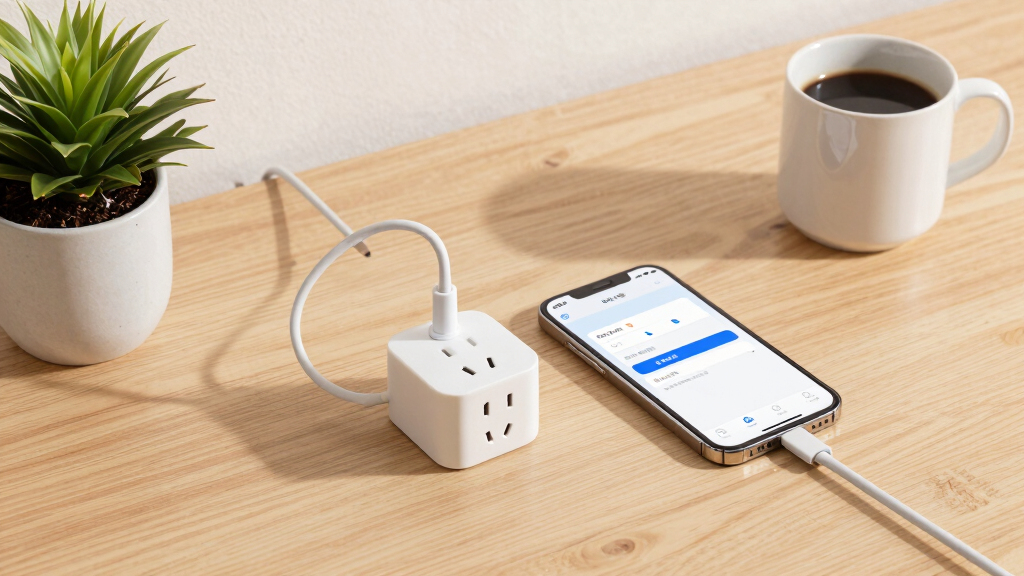

When choosing the best smart plugs for alerting routines, the key factors are reliable notifications, easy setup, and seamless compatibility with your existing smart home devices. The Amazon Smart Plug stands out as the best overall for its simplicity and integration. Meanwhile, options like the Kasa Smart Plug Mini excel in compact design and versatile voice control, making routine alerts effortless. Tradeoffs often involve balancing advanced features against ease of use and price. Continue reading for a detailed breakdown of the top options and what makes each unique.
Key Takeaways
- Top picks balance alert reliability with broad compatibility across platforms like Alexa, Google, and Apple HomeKit.
- Compact models like the Kasa Smart Plug Mini offer less clutter but may lack some advanced scheduling features.
- Energy monitoring features are common in high-end models but often come at a higher price point.
- Setup and app usability significantly impact the routine alert experience, favoring brands with intuitive interfaces.
- Pricing varies widely, with some bundles offering better value for multiple outlets, while premium options focus on advanced features.
| Amazon Basics Smart Plug (4-Pack), White | 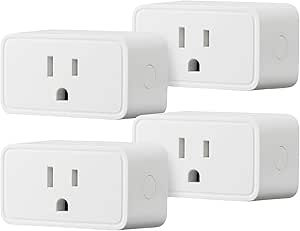 | Best Overall for Simple Alexa-Only Routines | Connector Type: 2 Pin | Number of Poles: 12 | Number Of Wires: 2 | VIEW LATEST PRICE | See Our Full Breakdown |
| Kasa Smart Plug Ultra Mini 15A (EP10P2) – White, 2-Pack |  | Best Compact Multi-Platform Control for Small Outlets | Max Load: 15A | Wi-Fi Compatibility: 2.4GHz only | Certifications: UL, RoHS, FCC, IC | VIEW LATEST PRICE | See Our Full Breakdown |
| Amazon Smart Plug |  | Best for Alexa-Only Routine Integration | Size: 3.2″ x 1.5″ x 2.2″ | Weight: 3.1 oz | Electrical Ratings: 120VAC, 60Hz 15A Max | VIEW LATEST PRICE | See Our Full Breakdown |
| GHome Smart Plug with Alexa and Google Home Compatibility | 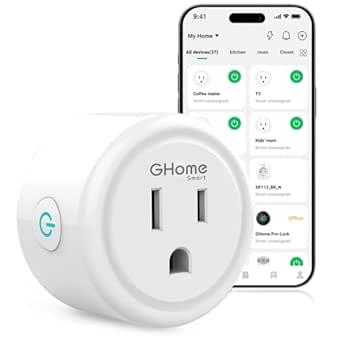 | Best Group Control and App Integration for Routines | Current Rating: 10 Amps | Operating Voltage: 120 Volts | Wattage: 1200 Watts | VIEW LATEST PRICE | See Our Full Breakdown |
| Kasa Smart Plug Mini 15A, Apple HomeKit Supported | 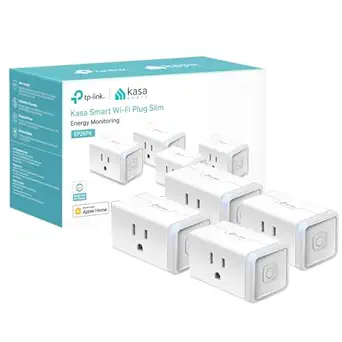 | Best Multi-Platform with Energy Monitoring and HomeKit | Max Load: 15A (1800W) | Certification: UL Certified | Design: Flame Retardant, Compact | VIEW LATEST PRICE | See Our Full Breakdown |
| TP-Link Tapo Smart Plug Wi-Fi Mini with Energy Monitoring, Alexa & Google Home Compatibility (4-Pack) |  | Best for Energy Monitoring and Cost Savings | Max Power: 15A/1800W | Wi-Fi: 2.4G only | Certification: ETL Certified | VIEW LATEST PRICE | See Our Full Breakdown |
| Govee Smart Plug with Alexa & Google Assistant, 4-Pack |  | Best for Compact Design and Basic Automation | Voltage: 120 Volts | Amperage: 10A (1200W) | Plug Type: Type B | VIEW LATEST PRICE | See Our Full Breakdown |
| Kasa Smart Plug HS103P4 4-Pack, Wi-Fi Outlet with Alexa & Google Home Compatibility |  | Best for Safe, Reliable Routine Automation | Operation Mode: Automatic | Current Rating: 15 Amps | Operating Voltage: 120 Volts | VIEW LATEST PRICE | See Our Full Breakdown |
| GHome WiFi Smart Plug with Alexa & Google Home Compatibility | 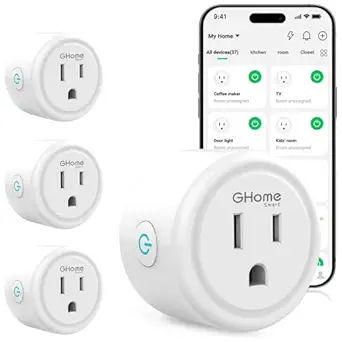 | Best for Simple App and Voice Control Integration | Current Rating: 10 Amps | Operating Voltage: 120 Volts | Wattage: 1200 Watts | VIEW LATEST PRICE | See Our Full Breakdown |
| Kasa Smart Plug Mini 15A, 4-Pack | 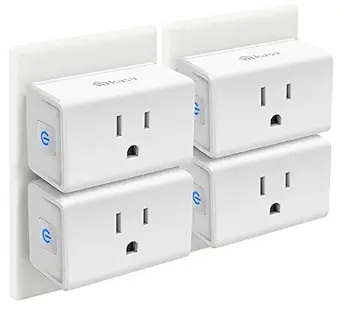 | Best Overall for Value and Simplicity | Max Load: 15A | WiFi Type: 2.4GHz Only | Pack Quantity: 4 Plugs | VIEW LATEST PRICE | See Our Full Breakdown |
| TP-Link Tapo P125M Smart Plug Mini (3-Pack) |  | Best for Advanced Connectivity and Offline Control | Max Current/Power: 15A / 1800W | Wi-Fi: 2.4GHz only | Certification: UL Certified | VIEW LATEST PRICE | See Our Full Breakdown |
More Details on Our Top Picks
Amazon Basics Smart Plug (4-Pack), White
This Amazon Basics smart plug stands out for its seamless, plug-and-play integration with Alexa, making it ideal for users who want reliable voice control without extra setup. Its zero-touch setup process and remote control via the Alexa app make automating routines straightforward. Compared to the Kasa Mini, it offers a slightly larger form factor but is more focused on Alexa compatibility, which could be limiting for those using Google Assistant. The 4-pack may be more than necessary for single users, but it’s perfect for households with multiple Alexa-enabled devices. Its UL certification adds peace of mind regarding safety, though the lack of Google Assistant support might disappoint some.
Pros:- Easy Alexa integration with zero-touch setup
- Remote control via Alexa app from anywhere
- Compact design preserves outlet space for other devices
Cons:- Exclusive Alexa compatibility limits flexibility
- 4-pack may be more than needed for single users
Best for: Alexa-centric households seeking straightforward, voice-controlled routines with minimal setup
Not ideal for: Users who want multi-platform voice control or Google Assistant integration, as it’s Alexa-only
- Connector Type:2 Pin
- Number of Poles:12
- Number Of Wires:2
- Plug Type:Type B
- Amperage:15 Amps
- Color:White
- Item Dimensions (D x W x H):2.7″D x 2.1″W x 1.5″H
- Certification:UL
Bottom line: This pick is ideal for those who prioritize simple, reliable Alexa routines and don’t need multi-platform support.
Kasa Smart Plug Ultra Mini 15A (EP10P2) – White, 2-Pack
The Kasa Smart Plug Ultra Mini excels at fitting into tight spaces, making it perfect for setups where outlet blocking is a concern. Its compatibility with both Alexa and Google Assistant provides flexibility absent in the Amazon Basics plug, which is Alexa-only. The 2-pack offers good value for those wanting to control multiple devices without cluttering outlets. However, its reliance on 2.4GHz Wi-Fi and the absence of a physical on/off switch can be limiting—especially in unstable networks or for users who prefer manual control. Compared with the larger Amazon Basics model, this mini version is less bulky but sacrifices some features like multiple outlet control in one device.
Pros:- Voice control compatibility with Alexa and Google Assistant
- No hub required for setup
- Compact design prevents outlet blocking
- Remote control via smartphone app
Cons:- Limited to 2.4GHz Wi-Fi networks
- No physical on/off switch
Best for: Small-space users needing multi-platform voice support and compact design for routine automation
Not ideal for: Users with inconsistent Wi-Fi or who prefer physical switches for manual control
- Max Load:15A
- Wi-Fi Compatibility:2.4GHz only
- Certifications:UL, RoHS, FCC, IC
- Operating Temperature Range:32°F to 104°F
- Included Items:2x Smart Plugs, Quick Start Guide
Bottom line: This is a smart choice for users needing a compact, multi-platform plug for routine alerts and automation.
Amazon Smart Plug
The Amazon Smart Plug offers a streamlined experience for Alexa users, with easy setup and reliable voice control that integrates smoothly with routines. Its small size helps preserve outlet space, similar to the Kasa Mini, but it’s limited to 2.4 GHz Wi-Fi, which can be a drawback for those with dual-band networks. Unlike the GHome plug, it doesn’t support Google Assistant, making it less versatile for households with multiple voice platforms. Its straightforward design and Amazon ecosystem integration make it ideal for routines centered around Alexa, but it may frustrate users wanting broader smart home control.
Pros:- Seamless Alexa voice control integration
- Simple setup with no smart hub needed
- Compact design preserves outlet space
Cons:- Limited to 2.4 GHz Wi-Fi networks
- No support for Google Assistant or other voice platforms
Best for: Amazon-centric households looking for hassle-free Alexa routine automation
Not ideal for: Smart homes using Google Assistant or multi-platform voice control, due to limited compatibility
- Size:3.2″ x 1.5″ x 2.2″
- Weight:3.1 oz
- Electrical Ratings:120VAC, 60Hz 15A Max
- Network Connectivity:2.4 GHz only
- Warranty:1-year limited warranty
Bottom line: Ideal for Alexa users seeking straightforward, routine-based automation with minimal fuss.
GHome Smart Plug with Alexa and Google Home Compatibility
The GHome Smart Plug distinguishes itself through group control features and broad voice assistant compatibility, supporting both Alexa and Google Assistant. Its app-based remote access via GHome, Smart Life, or Tuya apps enables flexible control over routines from anywhere, ideal for managing multiple devices simultaneously. Its 2.4GHz Wi-Fi requirement and wattage limit of 1200W are minor tradeoffs, especially when compared to higher-capacity options. Unlike the Amazon Smart Plug, which focuses solely on Alexa, GHome’s versatility makes it better suited for multi-platform households, though it relies heavily on a stable Wi-Fi connection for routines and remote control.
Pros:- Voice control with Alexa and Google Assistant
- Remote app access from anywhere
- Supports group control and device sharing
- Scheduling features for automation
Cons:- Requires stable 2.4GHz Wi-Fi network
- Limited to 1200W wattage
Best for: Households wanting multi-device routines with group control and multi-platform voice support
Not ideal for: Users with unstable Wi-Fi or who need higher wattage capacity for heavy appliances
- Current Rating:10 Amps
- Operating Voltage:120 Volts
- Wattage:1200 Watts
- Connectivity:Bluetooth, Wi-Fi (2.4GHz only)
- Control Methods:App, Voice, Touch
Bottom line: This plug is well-suited for users managing multiple devices with multi-platform voice commands and group routines.
Kasa Smart Plug Mini 15A, Apple HomeKit Supported
The Kasa Smart Plug Mini combines a compact, UL-certified design with extensive platform support, including Apple HomeKit, Alexa, and Google Assistant. Its real-time energy monitoring and historical data make it stand out for routines that include alerts based on energy use. Compared to the Amazon and GHome options, it offers more versatility through Apple HomeKit integration, appealing to users with iOS devices. However, its reliance on 2.4GHz Wi-Fi and the need for an Apple device for full HomeKit functionality can be limiting for some. Its 1800W capacity makes it suitable for heavier appliances, but the lack of 5GHz Wi-Fi support might cause connectivity issues in crowded networks.
Pros:- Supports Apple HomeKit, Alexa, and Google Assistant
- Real-time energy monitoring with history
- Compact, space-saving design
- UL certified for safety
Cons:- Limited to 2.4G Wi-Fi (no dual-band support)
- Requires Apple device for full HomeKit functionality
Best for: Apple users wanting multi-platform support with energy alerts and detailed monitoring
Not ideal for: Android-only households or users without a compatible Apple device, due to additional setup requirements
- Max Load:15A (1800W)
- Certification:UL Certified
- Design:Flame Retardant, Compact
- WiFi:2.4G Only
- Operating Humidity:5%~90% RH
- System Requirements:Android 5.0+ or iOS 10+
Bottom line: Ideal for iOS users seeking a multi-platform, energy-aware smart plug for alerting routines.
TP-Link Tapo Smart Plug Wi-Fi Mini with Energy Monitoring, Alexa & Google Home Compatibility (4-Pack)
Compared with the Govee Smart Plug, the Tapo Mini offers detailed energy usage data with visual charts, appealing for eco-conscious users. Its programmable scheduling and auto-shutoff feature make it a strong candidate for reducing power bills, but its reliance on 2.4GHz WiFi and the lack of a physical power button can be drawbacks for some. The inclusion of energy monitoring elevates this plug from simple automation to power management, though it requires app setup and may be overkill for basic routines. Overall, this model is ideal for those who want to track energy consumption as part of their alerting routines.
Pros:- Detailed energy usage tracking with visual charts
- Voice control compatibility with Alexa and Google Assistant
- Programmable scheduling for energy savings
Cons:- Requires separate app setup for full functionality
- No physical power button, which may inconvenience some users
Best for: Eco-minded homeowners looking to monitor and control energy use through automation and detailed insights.
Not ideal for: Users seeking a plug with physical toggle switches or dual-band WiFi support for more robust connectivity.
- Max Power:15A/1800W
- Wi-Fi:2.4G only
- Certification:ETL Certified
- Pack Size:4-Pack
Bottom line: Ideal for users who want to integrate energy monitoring into their alert routines without sacrificing automation capabilities.
Govee Smart Plug with Alexa & Google Assistant, 4-Pack
Compared to the TP-Link Tapo, the Govee Smart Plug emphasizes a smaller footprint, fitting easily into tight spaces or behind furniture. It supports both Bluetooth and WiFi connections, which can enhance stability, especially in environments with WiFi congestion. Its automation features are straightforward, but it offers less detailed energy data than the TP-Link, making it less suitable for power-conscious routines. This plug is suitable for users new to smart home automation who need a compact, reliable device with basic scheduling and voice control.
Pros:- Supports stable Bluetooth and WiFi connectivity
- Compact size fits in tight spaces
- Supports scheduling and group control
Cons:- Limited to 1200W power capacity
- No advanced energy monitoring or detailed data
Best for: New smart home users who want a discreet, easy-to-use device with reliable voice control and simple automation.
Not ideal for: Power users who need detailed energy monitoring or advanced integration features, as these are limited with this model.
- Voltage:120 Volts
- Amperage:10A (1200W)
- Plug Type:Type B
- Dimensions:0.19″D x 0.19″W x 0.2″H
Bottom line: Best suited for users seeking a small, straightforward smart plug for basic routines and voice control.
Kasa Smart Plug HS103P4 4-Pack, Wi-Fi Outlet with Alexa & Google Home Compatibility
Compared to the GHome WiFi Smart Plug, the Kasa HS103P4 offers a higher current rating (15A) and UL certification, emphasizing safety and durability for routine use. Its straightforward setup and push-button control make it accessible for users who prefer physical toggles alongside voice commands. While it doesn’t feature energy monitoring, its reliable remote access and scheduling make it a dependable choice for routine alerts. This plug is well-suited for those who value safety certifications and consistent performance over detailed power analytics.
Pros:- High 15A current rating for robust use
- UL safety certification for peace of mind
- Easy setup and reliable remote control
Cons:- Limited to 120V AC systems
- No energy monitoring or detailed analytics
Best for: Safety-conscious homeowners who want a reliable, certified device for routine automation without energy tracking.
Not ideal for: Users seeking energy consumption insights or advanced device management, as this model lacks detailed monitoring features.
- Operation Mode:Automatic
- Current Rating:15 Amps
- Operating Voltage:120 Volts
- Switch Type:Push Button
Bottom line: Perfect for users prioritizing safety, reliability, and straightforward routines over detailed power data.
GHome WiFi Smart Plug with Alexa & Google Home Compatibility
Compared to the TP-Link Tapo, the GHome WiFi Smart Plug emphasizes a straightforward app and voice control experience, making it accessible for beginners. It supports basic scheduling and group control, but its reliance on only 2.4GHz WiFi may introduce connectivity issues in busy networks. Unlike the TP-Link’s detailed energy analytics, this plug offers more basic functionality, which might suit casual routines better. It’s a good fit for those new to smart automation who want minimal setup and reliable voice commands.
Pros:- Works reliably with Alexa and Google Assistant
- Simple app-based control and scheduling
- Supports group control for multiple devices
Cons:- Only supports 2.4GHz WiFi
- No detailed energy monitoring or advanced features
Best for: Entry-level smart home users who want easy setup and basic automation without advanced energy features.
Not ideal for: Power users or those with complex networks, due to its lack of 5GHz support and limited data analytics.
- Current Rating:10 Amps
- Operating Voltage:120 Volts
- Wattage:1200 Watts
- Connectivity Protocol:Wi-Fi (2.4GHz only)
Bottom line: Ideal for beginners seeking easy, voice-controlled routines with minimal fuss.
Kasa Smart Plug Mini 15A, 4-Pack
The Kasa Smart Plug Mini 15A earns its place as the best overall option by combining ease of use with solid performance. It’s ideal for users who want reliable voice control with Alexa and Google Home, along with straightforward scheduling features. Compared to the TP-Link Tapo P125M, this model lacks Matter support and local LAN operation, which may matter for those prioritizing smart home flexibility. Its UL certification and flame-retardant design enhance safety, yet its reliance solely on 2.4GHz WiFi limits network versatility. The compact size maximizes space on wall outlets, but it may not fit all outlet types, especially those with adjacent switches or covers. Overall, this plug suits those seeking a dependable, budget-friendly option for alerting routines without the complexity of advanced integrations.
Pros:- Voice control compatibility with Alexa and Google Home
- Easy setup via Kasa app (no hub required)
- Scheduling and timer features for automation
- UL-certified safety with flame-retardant materials
Cons:- Only supports 2.4GHz WiFi, limiting network flexibility
- Compact design may not fit all outlet configurations
Best for: Homeowners who want a reliable, simple smart plug for routine alerts and basic automation
Not ideal for: Tech enthusiasts seeking advanced features like local control or dual-band WiFi
- Max Load:15A
- WiFi Type:2.4GHz Only
- Pack Quantity:4 Plugs
- Certifications:UL, FCC, IC, RoHS
- Operating Temp Range:32°F to 104°F
Bottom line: This smart plug offers straightforward automation for routine alerts, ideal for users valuing simplicity and safety.
TP-Link Tapo P125M Smart Plug Mini (3-Pack)
The TP-Link Tapo P125M stands out for its support of Matter technology, making it one of the most versatile options for integrating with Apple Home, Alexa, Google, and Samsung SmartThings. This makes it especially suitable for users who want a future-proof setup with local LAN operation—meaning routines can trigger even without internet. Unlike the Kasa Mini, the P125M’s Matter support and local control increase reliability and flexibility, though it’s limited to 2.4GHz WiFi, which could be a downside for those with dual-band networks. Its compact form prevents outlet blocking, but the 1800W maximum power may restrict usage with high-draw appliances. The 3-pack pricing could be less economical if you only need a few units, but it’s ideal for expanding routines across multiple devices.
Pros:- Supports Matter protocol for broad compatibility
- Local LAN operation works offline for routine reliability
- Compact design prevents outlet blocking
- Easy app setup with Bluetooth and scheduling
Cons:- Limited to 2.4GHz WiFi, no dual-band support
- Maximum power of 1800W may restrict high-draw devices
- 3-pack pricing might be less cost-effective for casual users
Best for: Tech-savvy users seeking seamless, future-proof routines with local control capabilities
Not ideal for: Casual users or those with high-power appliances over 1800W who don’t need Matter integration
- Max Current/Power:15A / 1800W
- Wi-Fi:2.4GHz only
- Certification:UL Certified
- Model Number:P125M (3-Pack)
- Warranty:2-year limited warranty
Bottom line: This plug excels for those wanting reliable, versatile routines that function even without internet connection, thanks to Matter and local control.

How We Picked
These products were evaluated based on their ability to reliably deliver alert routines, ease of setup, and integration with major voice assistants. Build quality, app usability, and firmware stability were also key factors, ensuring that routines are consistent and dependable. Price and value were considered by comparing features relative to cost, with emphasis on models that provide the best balance of performance and affordability. The ranking reflects a combination of versatility, user feedback, and how well each plug supports alerting routines in everyday scenarios.Factors to Consider When Choosing Best Smart Plugs For Alerting Routines
Choosing the right smart plug for alerting routines involves several factors that go beyond basic features. Understanding compatibility with your existing smart home ecosystem, alert customization options, and reliability are critical. These considerations help ensure your routines trigger accurately and at the right times, reducing frustration and enhancing automation. Keep in mind that a slightly higher investment often yields more dependable performance, especially for critical alerts.Compatibility with Your Smart Home Ecosystem
Ensuring your smart plug works seamlessly with your preferred voice assistant or smart home platform—such as Alexa, Google Home, or Apple HomeKit—can streamline setup and routine management. Some plugs support multiple platforms, providing flexibility, while others are more specialized. Choosing a compatible device reduces setup headaches and ensures your routines trigger reliably across all devices. Avoid products with limited ecosystem support if you plan to expand your smart home later.
Alert Customization and Notification Reliability
Since alerting routines depend on timely notifications, look for plugs that support customizable alerts—like chimes, voice notifications, or app alerts—and have proven reliability. Some models enable complex routines with multiple triggers and notifications, which is ideal for critical alerts. Be cautious of cheaper options that may have inconsistent notification delivery, leading to missed alerts and frustration. The ability to test and adjust alert settings easily can make a significant difference.
Ease of Setup and App Usability
A smart plug’s app interface should be intuitive, with straightforward instructions for setup and routine configuration. Complex or clunky apps can deter regular use and cause delays in routine adjustments. Look for products with clear documentation and positive user feedback on app stability. Remember, routine alerts should be simple to set and modify without technical hassle, especially if multiple routines or schedules are involved.
Build Quality and Long-Term Reliability
Durability and consistent performance over time are vital, especially if you plan to rely on alerts for security or safety. Cheaper models might save money upfront but could suffer from connectivity issues or hardware failures. Consider brands known for firmware updates and customer support, which help maintain reliable routine triggering. Investing in quality helps prevent false alarms or missed notifications that could undermine your automation setup.
Price and Bundle Options
Smart plugs come in a wide price range, with bundles often providing better overall value if you need multiple outlets. While premium models may offer advanced features like energy monitoring or enhanced security, basic plugs can suffice for routine alerts at a lower cost. Balance your budget against desired features, and be wary of extremely cheap options that might compromise reliability. Sometimes, investing a bit more upfront saves trouble later.
Frequently Asked Questions
Can I use smart plugs for emergency alerts?
Yes, many smart plugs support routine alerts that can notify you via app, voice, or chime when triggered by certain conditions. However, their effectiveness depends on reliable internet connectivity and proper setup. For critical alerts like safety or security, choosing models with proven notification reliability and compatibility with your existing system is essential. Always test your routines regularly to ensure alerts are received promptly.
Are there smart plugs that support multiple routines simultaneously?
Many modern smart plugs support creating multiple routines or schedules, allowing you to trigger different alerts based on time or events. However, the complexity of managing these routines varies among models. Some plugs integrate with broader smart home hubs that facilitate complex automation, while others might have limitations. Ensure the model you choose explicitly states support for multiple routines if this is a priority.
What’s the best way to ensure my routines trigger reliably?
Reliability depends on a stable Wi-Fi connection, proper placement of the smart plug, and a straightforward setup process. Regularly updating firmware and testing routines helps maintain performance. Additionally, selecting a device with positive user feedback on notification accuracy and manufacturer support can reduce the chance of missed alerts. Avoid overly complex routines if your Wi-Fi is inconsistent or if you rely on critical alerts.
Should I prioritize energy monitoring features in my smart plug?
Energy monitoring is useful if you want to track power consumption but is less relevant for routine alerting. If your primary goal is reliable notifications, focus on compatibility, notification options, and build quality. Energy monitoring can add cost and complexity without necessarily improving alert performance. For routine alerts, simplicity and dependability should take precedence over extra features.
Is it better to buy a single high-quality smart plug or multiple budget options?
For critical routines where reliability is paramount, investing in a few high-quality, well-reviewed smart plugs is advisable. They tend to offer more consistent performance and better support. However, if you need multiple outlets for broader automation, bundles of budget-friendly models can work, provided they meet your reliability needs. Weigh the importance of each routine and the risk of missed alerts to decide which approach suits your setup best.