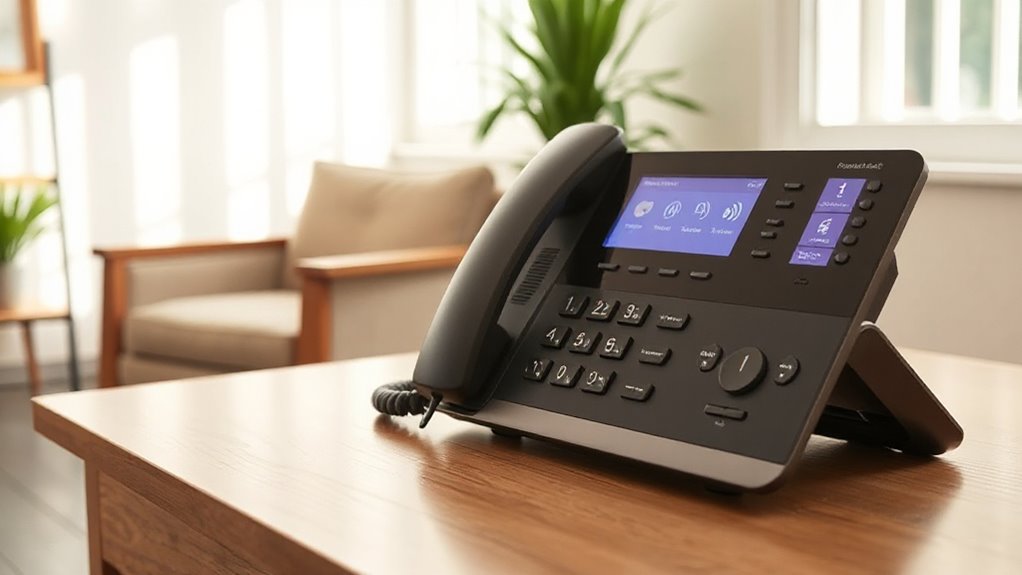

Choosing among captioned telephones for hearing impaired users comes down to a practical distinction: live text captions can help you follow spoken conversations, while amplified phones make sound louder without providing captions. My strongest picks for captioning are the Hamilton CapTel 840i for straightforward, large-button operation and the Hamilton CapTel 2400iSPNBT for a touchscreen interface and broader stated network compatibility. If you do not need captions but want more flexibility around the home, the Panasonic KX-TGM450S adds cordless use, slow talk, and a visual ringer.

Get everyday helpers delivered free with Prime
- Fast, free delivery on millions of items
- Prime Video, Amazon Music and more included
- Member-only deals all year
Those strengths come with different requirements. The Hamilton models need high-speed internet and electrical power, and the CapTel 840i information specifies U.S. availability for people with hearing loss. The Panasonic and two basic corded phones amplify sound but are not captioning phones. I rank the options by how directly they answer the captioning need first, then by usability and the tradeoffs that may shape day-to-day use.
Key Takeaways
- For live captions and physical buttons: the Hamilton CapTel 840i pairs real-time captions with large-button navigation and captioned voicemail.
- For a touchscreen captioning experience: the Hamilton CapTel 2400iSPNBT offers real-time captions and states compatibility with several phone service types, but needs internet and power.
- For cordless reach without captions: the Panasonic KX-TGM450S brings a 50 dB volume boost, slow talk, visual alerts, and expandable handsets.
- For a simple landline and large controls: the Clarity P300 amplifies incoming sound up to 26 dB, but it does not display conversation captions.
- For basic corded accessibility features: the JeKaVis J-P02 offers up to 40 dB amplification and wall mounting, though its microcassette answering system may feel dated.
| Hamilton CapTel 840i Large Button Navigated Captioned Telephone |  | Best Overall for Large-Button Live Captioning | Captioning: Real-time captions; captioned voicemail | Sound amplification: Up to 40 dB | Controls: Large-button navigation; single keypad | VIEW ON AMAZON | See Our Full Breakdown |
| Hamilton CapTel 2400iSPNBT Large Touch Screen Captioned Telephone |  | Best Touchscreen Captioned Phone | Captioning: Real-time captions; captioned voicemail | Sound amplification: Up to 40 dB | Display: Large touchscreen | VIEW ON AMAZON | See Our Full Breakdown |
| Panasonic KX-TGM450S Amplified Cordless Phone with Slow Talk, 50dB Volume Boost, 112dB Visual Ringer, Hearing Aid Compatibility, Large Screen, Backlit Keypad |  | Best Cordless Alternative for Hearing Access | Captioning: Not listed | Sound amplification: Up to 50 dB | Speech support: Slow talk and noise reduction | VIEW ON AMAZON | See Our Full Breakdown |
| Clarity P300 Landline Phone with Sound Amplification, Hearing Impaired Phones, Adjustable Ringer Pitch and Volume Control |  | Best Simple Amplified Landline | Captioning: Not listed | Sound amplification: Up to 26 dB | Ringer: Adjustable pitch and volume | VIEW ON AMAZON | See Our Full Breakdown |
| Big Button Phone for Elderly, JeKaVis J-P02 Amplified Landline Phone for Seniors and Hearing Impaired, White |  | Best Wall-Mountable Basic Phone | Captioning: Not listed | Sound amplification: Up to 40 dB | Controls: Large, high-contrast keypad; speed dial | VIEW ON AMAZON | See Our Full Breakdown |
| captioned telephones for hearing impaired | Captioning | Sound amplification | Controls | Power |
|---|---|---|---|---|
| Hamilton CapTel 840i Large But | Real-time captions; captioned voicemail | Up to 40 dB | Large-button navigation; single keypad | Corded electric |
| Hamilton CapTel 2400iSPNBT Lar | Real-time captions; captioned voicemail | Up to 40 dB | — | Corded electric |
| Panasonic KX-TGM450S Amplified | Not listed | Up to 50 dB | — | — |
| Clarity P300 Landline Phone wi | Not listed | Up to 26 dB | Large buttons; single keypad | — |
| Big Button Phone for Elderly | Not listed | Up to 40 dB | Large, high-contrast keypad; speed dial | Corded telephone line |
More Details on Our Top Picks
Hamilton CapTel 840i Large Button Navigated Captioned Telephone
The Hamilton CapTel 840i is my leading match for someone who specifically wants captions during calls and prefers physical controls over a touchscreen. It provides real-time captions, amplified sound up to 40 dB, and large-button navigation, combining text support with a louder listening option instead of forcing a choice between them. Captioned voicemail can also help when the call arrives while the user is away from the phone.
Compared with the touchscreen CapTel 2400iSPNBT, the 840i puts more emphasis on button-led operation and easy navigation. That can suit a person who wants familiar keypad interaction, while the 2400iSPNBT may appeal more to someone comfortable with a touch display or needing the service compatibility listed for it. Both models require high-speed internet and power; the 840i description also limits its service to U.S. residents with hearing loss. This is not a cordless, carry-around phone, and its larger footprint can make placement less flexible.
I would choose it when reading captions is central to making calls independently, and I would skip it if louder sound alone is enough. The Clarity P300 is a simpler landline alternative, but it cannot replace the 840i’s live text captions.
Pros:- Real-time captions support reading along during calls.
- Large-button navigation offers a more tactile interface than the touchscreen 2400iSPNBT.
- Up to 40 dB amplification and volume control add an audio option alongside captions.
- Built-in answering machine includes captioned voicemail.
Cons:- Requires high-speed internet as well as landline or VoIP service and electrical power.
- The stated service eligibility is limited to U.S. residents with hearing loss.
- Bulkier corded design is less suited to moving between rooms.
Best for: A U.S. user with hearing loss who wants real-time captions, large physical buttons, amplified sound, and captioned voicemail.
Not ideal for: Anyone without reliable high-speed internet or electrical power, anyone seeking a portable cordless handset, or someone who only needs sound amplification.
- Captioning:Real-time captions; captioned voicemail
- Sound amplification:Up to 40 dB
- Controls:Large-button navigation; single keypad
- Power:Corded electric
- Answering system:Digital
- Recording capacity:18 minutes
- Hearing aid compatibility:Yes
- Dimensions:7.5 x 9 x 6.5 inches
Our verdict“I would start with the CapTel 840i when readable live captions and button-led operation matter more than portability.”
Hamilton CapTel 2400iSPNBT Large Touch Screen Captioned Telephone
The Hamilton CapTel 2400iSPNBT takes the same core approach as the 840i—live captions plus amplified sound—but presents it through a large touchscreen. Its real-time text and up to 40 dB amplification can support two different ways of following a conversation: read what the other person says or raise the audio. The built-in answering machine also provides captioned voicemail, useful for messages that need to be checked later.
Its clearest advantage over the 840i is the screen-first interface and the supplied listing’s support for VoIP and several phone network types, including analog, digital cable, DSL, and FIOS. That flexibility may help households whose service is not a conventional landline, though I would verify the exact setup with the provider before buying. In return, the touchscreen may be less comfortable than large physical buttons for someone who relies on tactile controls. It is also a corded, powered device that needs high-speed internet, so it is not a portable backup phone.
This is a strong alternative to the 840i when a touch display fits the user’s habits. Compared with the Panasonic KX-TGM450S, it delivers the captions the Panasonic lacks, but gives up cordless mobility and the Panasonic’s slow-talk feature. I would not choose it for a household seeking only a basic amplified phone.
Pros:- Large touchscreen displays real-time captions.
- Up to 40 dB amplification and hearing aid compatibility support audio access too.
- Captioned voicemail and an 18-minute recording capacity support message checking.
- Listing specifies compatibility with VoIP and several traditional phone network types.
Cons:- Needs high-speed internet and electrical power, limiting use during outages or away from the home.
- Touchscreen controls may not suit users who depend on tactile buttons.
- The larger corded base is less portable than the Panasonic cordless option.
Best for: A user who wants live captions on a large touchscreen and whose phone service matches the manufacturer’s supported setup.
Not ideal for: Someone who prefers physical buttons, needs cordless mobility, or lacks dependable internet and electrical power.
- Captioning:Real-time captions; captioned voicemail
- Sound amplification:Up to 40 dB
- Display:Large touchscreen
- Supported services:VoIP and listed analog, digital cable, DSL, and FIOS services
- Power:Corded electric
- Answering system:Digital
- Recording capacity:18 minutes
- Dimensions:3.64 x 12.56 x 9.54 inches
Our verdict“I would pick the 2400iSPNBT over the 840i when a touchscreen and its stated service compatibility matter more than tactile controls.”
Panasonic KX-TGM450S Amplified Cordless Phone with Slow Talk, 50dB Volume Boost, 112dB Visual Ringer, Hearing Aid Compatibility, Large Screen, Backlit Keypad
The Panasonic KX-TGM450S is not a captioned telephone, but it is the most flexible non-captioning option here for someone who needs help hearing calls around the home. Its stated 50 dB volume boost, slow-talk function, noise reduction, and loud visual ringer address different listening situations: increasing volume, slowing speech, reducing interference, and alerting the user without relying only on sound. The backlit keypad and talking caller ID add visibility and spoken call information.
Compared with the Hamilton phones, Panasonic gives up live text captions and captioned voicemail. In exchange, it offers a cordless handset and expansion to as many as six handsets, which can be more useful in a multi-room home. The JeKaVis and Clarity are corded, simpler alternatives, but neither lists the Panasonic’s combination of cordless use, slow talk, and visual alerting. Its digital-landline limitation is a real boundary, and it will not suit a cellular-only household.
I would shortlist this model if a user can understand calls better with louder, slower speech and needs a handset close at hand. I would not treat its amplification as equivalent to captions: someone who needs to read words to follow conversation should choose one of the Hamilton CapTel models instead. The supplied information also does not list live captioning, so the Panasonic ranks behind both Hamilton picks for this search.
Pros:- Cordless operation and expansion to six handsets can make calls accessible in more rooms.
- Up to 50 dB volume boost, slow talk, and noise reduction offer several listening adjustments.
- A 112 dB visual ringer adds an alert beyond ordinary ringing.
- Backlit display, talking keypad, and talking caller ID support visibility and call awareness.
Cons:- The supplied feature list does not include live captions or captioned voicemail.
- Limited to digital landline use rather than cellular networks.
- Some users may find the handset bulky for carrying.
Best for: A person who wants cordless access, strong amplification, slow talk, and visual call alerts on a compatible digital landline.
Not ideal for: A buyer who needs text captions, uses only a cellular network, or wants a compact handset with minimal features.
- Captioning:Not listed
- Sound amplification:Up to 50 dB
- Speech support:Slow talk and noise reduction
- Alert:112 dB visual ringer
- Display:1.8-inch LCD
- Handset expansion:Expandable to six handsets
- Battery life:13 hours talk time; 9 days standby
- Additional features:Hearing aid compatible; talking caller ID and keypad
Our verdict“I would choose Panasonic for cordless amplified calling, but not when readable captions are the main requirement.”
Clarity P300 Landline Phone with Sound Amplification, Hearing Impaired Phones, Adjustable Ringer Pitch and Volume Control
The Clarity P300 suits buyers who want a straightforward corded phone with adjustable sound, not a caption display. It amplifies incoming audio up to 26 dB and lets users adjust ringer pitch and volume, so the phone can be tailored to hearing preferences without the internet setup required by either Hamilton CapTel. Large buttons also make dialing easier for users with low vision or reduced dexterity.
Compared with the JeKaVis J-P02, the P300 has a lower stated amplification ceiling, while JeKaVis lists up to 40 dB and wall mounting. The Clarity’s appeal is its simple controls and a stated seven-year warranty duration; I would still check the current warranty terms before purchase. Compared with the Panasonic, it has neither cordless reach nor slow talk, and like the other non-captioning phones here, it cannot provide live text.
This phone makes sense when the user has a standard landline jack and wants a basic, wired setup. Its landline-only limitation is important: the supplied details say it is not compatible with VoIP or cellular networks. I would skip it if captions are needed, if the home uses internet phone service, or if calls need to be answered from multiple rooms.
Pros:- Amplifies incoming sound up to 26 dB.
- Adjustable ringer pitch and volume help tailor call alerts.
- Large buttons support easier dialing than a small-keypad design.
- Wired operation avoids reliance on a wireless handset connection.
Cons:- Does not provide live captions or captioned voicemail.
- The listing specifies standard landline use and excludes VoIP and cellular networks.
- Bulkier corded form is less convenient to move around the home.
Best for: A user seeking simple incoming-sound amplification, adjustable ringer settings, and large buttons on a standard landline.
Not ideal for: Anyone who needs live captions, cordless handsets, or a VoIP or cellular connection.
- Captioning:Not listed
- Sound amplification:Up to 26 dB
- Ringer:Adjustable pitch and volume
- Controls:Large buttons; single keypad
- Connection:Standard phone landline
- Operation:Single line, corded
- Hearing aid compatibility:Listed as compatible
- Warranty duration:7 years, as listed
Our verdict“I would choose the P300 for simple amplified landline calling, but not as a substitute for captioning.”
Big Button Phone for Elderly, JeKaVis J-P02 Amplified Landline Phone for Seniors and Hearing Impaired, White
The JeKaVis J-P02 is a basic amplified corded phone for a buyer who values large, high-contrast buttons and flexible placement. It lists up to 40 dB amplification, hearing aid compatibility, speed dial, and a wall-mountable base. Its phone-line power is also described as allowing operation during power outages, which could matter to someone who wants a simple landline set that does not rely on a powered touchscreen or cordless handset.
For the captioning goal, though, JeKaVis is a compromise rather than a direct match: the supplied details do not identify live captions. The Hamilton 840i provides text and captioned voicemail, while the J-P02 focuses on louder audio and large controls. Compared with the Clarity P300, JeKaVis lists a higher amplification level and wall mounting, but its microcassette answering system is less contemporary than the Clarity’s digital answering system. Its single-line setup also excludes households needing multiple phone lines.
I would consider this model for a user who mainly needs a visible keypad and louder sound on a landline, especially if wall placement is useful. I would skip it for anyone who relies on reading captions, wants modern digital message handling, or uses VoIP or cellular service. The product details include an unusually small listed weight, so I would verify the current manufacturer specifications if weight is central to the decision.
Pros:- Up to 40 dB amplification and listed hearing aid compatibility support louder calls.
- Large, high-contrast buttons and speed dial can simplify everyday calling.
- Wall-mountable design allows placement away from a tabletop.
- Phone-line power is described as supporting operation during power outages.
Cons:- The supplied description does not identify live captions or captioned voicemail.
- Microcassette answering system may feel dated compared with the Hamilton and Clarity digital systems.
- Single-line operation limits use in multi-line setups.
Best for: A landline user who wants large high-contrast buttons, a wall-mount option, and strong amplification.
Not ideal for: Anyone who needs live captions, uses multiple lines or non-landline service, or prefers a digital answering system.
- Captioning:Not listed
- Sound amplification:Up to 40 dB
- Controls:Large, high-contrast keypad; speed dial
- Power:Corded telephone line
- Answering system:Microcassette
- Recording capacity:5 minutes
- Operation:Single line
- Placement:Wall-mountable
Our verdict“I would pick the J-P02 for a simple, wall-mountable amplified landline, not for captioned conversations.”

How We Picked
I ranked these phones around the phrase captioned telephones, not around amplification alone. That distinction matters: captions turn spoken words into readable text, while a louder receiver may help someone hear more of a call but does not provide a text transcript. The two Hamilton CapTel models therefore lead because the supplied descriptions identify real-time captions and captioned voicemail.
Within that pair, I weighed interface and stated service flexibility. The CapTel 840i is the more direct choice for someone who wants large buttons and guided navigation; the 2400iSPNBT suits someone who prefers a large touchscreen and needs the listed compatibility with VoIP and several traditional phone services. Both depend on high-speed internet and electrical power, so I treat setup requirements as a major tradeoff rather than a footnote.
I placed the Panasonic next because it offers more than simple amplification: cordless handsets, slow talk, a strong volume boost, and visual alerts can address hearing and mobility needs around the home. The Clarity and JeKaVis models rank below it for this particular search because neither description promises captions or cordless convenience. They remain useful alternatives for people who need a simpler amplified landline, and I distinguish their amplification, controls, installation, and answering features rather than presenting them as substitutes for live captioning.
I used only the supplied product details. I do not assume that a listed feature guarantees compatibility with a particular carrier, service plan, hearing aid, or household wiring setup. Before choosing, I would confirm the current service requirements with the manufacturer and the phone provider, especially for internet-dependent captioning and landline-only models.
| captioned telephones for hearing impaired | Captioning | Sound amplification | Controls | Power |
|---|---|---|---|---|
| Hamilton CapTel 840i Large But | Real-time captions; captioned voicemail | Up to 40 dB | Large-button navigation; single keypad | Corded electric |
| Hamilton CapTel 2400iSPNBT Lar | Real-time captions; captioned voicemail | Up to 40 dB | — | Corded electric |
| Panasonic KX-TGM450S Amplified | Not listed | Up to 50 dB | — | — |
| Clarity P300 Landline Phone wi | Not listed | Up to 26 dB | Large buttons; single keypad | — |
| Big Button Phone for Elderly | Not listed | Up to 40 dB | Large, high-contrast keypad; speed dial | Corded telephone line |
Factors to Consider When Choosing Captioned Telephones For Hearing Impaired
I would begin by deciding whether the user needs to read the caller’s words or mainly needs the caller to sound louder and clearer. The distinction separates the Hamilton captioning phones from the Panasonic, Clarity, and JeKaVis amplified models.
Live captions or louder audio?
If spoken conversation is difficult to follow even with more volume, a captioning phone may be the better fit. The Hamilton CapTel 840i and 2400iSPNBT are the only products in this group whose descriptions specify real-time captions. They also list amplified sound, so users can combine reading with listening. By contrast, the Panasonic’s 50 dB boost, Clarity’s 26 dB boost, and JeKaVis’s 40 dB boost are audio-access features, not proof of captioning. I would not buy one of those three expecting text on screen.
Choose the interface the user can operate
The CapTel 840i has large-button navigation, while the 2400iSPNBT centers its interface on a large touchscreen. A buyer who prefers tactile keys may find the 840i a more natural fit; someone comfortable tapping a screen may prefer the 2400iSPNBT. The non-captioning phones offer physical keypads, with the Clarity and JeKaVis specifically emphasizing large buttons. The Panasonic adds a display, backlit keypad, and spoken caller information, but its feature set is more involved than a basic corded phone.
Check service, internet, and power needs
Both Hamilton models require high-speed internet and electrical power, so I would confirm the home has a supported phone connection and reliable placement near power before choosing either. The 2400iSPNBT listing names VoIP and several traditional network types, while the 840i description refers to landline or VoIP service; exact compatibility should be verified with the provider. The Clarity P300 is described for a standard landline jack and not VoIP or cellular networks. Panasonic is listed for digital landline use, and JeKaVis is a phone-line-powered corded set. These details can rule out a model before interface preferences matter.
Think about movement around the home
The Panasonic is the cordless choice in this lineup and can expand to six handsets. That makes it the most practical option for answering calls in different rooms, though it does not provide captions. The Hamiltons, Clarity, and JeKaVis are corded designs; the JeKaVis can be wall-mounted, but wall mounting does not make it portable. If the user needs captions and mobility at once, this list does not establish a cordless captioning model, so I would check current alternatives rather than assume an amplified cordless phone meets the same need.
Compare voicemail and outage expectations
The Hamilton models stand apart with captioned voicemail, which can make recorded messages easier to understand. The Clarity lists a digital answering system, while JeKaVis uses a five-minute microcassette system that may be less convenient for buyers who prefer digital messages. Panasonic’s supplied details focus on call alerts and handset features rather than captioned voicemail. For outage planning, JeKaVis is described as powered by the telephone line and able to operate during power outages; the Hamilton models require electrical power. I would confirm how the household’s phone service behaves during an outage, since service type and local equipment affect that outcome.
Frequently Asked Questions
Which phones in this roundup provide live captions?
The Hamilton CapTel 840i and Hamilton CapTel 2400iSPNBT are the two models described as providing real-time captions. Both also list captioned voicemail and sound amplification. The Panasonic, Clarity, and JeKaVis models are described as amplified phones, but their supplied details do not list live text captions.
Are amplified phones the same as captioned phones?
No. An amplified phone raises call audio, and some models add features such as slow talk, adjustable ringer settings, or visual alerts. A captioned phone displays spoken words as text. In this group, the Panasonic KX-TGM450S, Clarity P300, and JeKaVis J-P02 are amplification-focused options, while the Hamilton models are the captioning choices.
Do the Hamilton CapTel phones need internet?
Yes. The supplied descriptions say the CapTel 840i and 2400iSPNBT require high-speed internet, and both also need electrical power. The 840i is described for landline or VoIP service; the 2400iSPNBT listing identifies several service types. I would confirm exact compatibility and setup requirements with the manufacturer and phone provider before purchase.
Which option is best for moving between rooms?
The Panasonic KX-TGM450S is the cordless phone in this comparison and can be expanded to six handsets, making it the clearest fit for calls in several rooms. It does not list captions. The Hamilton, Clarity, and JeKaVis models are corded, though JeKaVis can be wall-mounted for a fixed placement that frees a tabletop.
Can these phones work with a cellular-only service?
The supplied information does not support treating these models as cellular phones. The Clarity P300 is specified for a standard landline and listed as incompatible with cellular networks; Panasonic is described for digital landline use. The Hamilton listings name internet-based and traditional phone services, not direct cellular-network operation, and JeKaVis is phone-line powered. I would check with the provider about any adapter or service arrangement rather than assume cellular compatibility.
Conclusion
For a buyer whose first requirement is reading live captions, I would choose the Hamilton CapTel 840i for large physical buttons and guided operation, or the 2400iSPNBT for a touchscreen and its listed service flexibility. Both need high-speed internet and electrical power, so I would confirm the household setup before deciding. For someone who can follow calls with louder or slower speech and wants mobility around the home, the Panasonic is the strongest non-captioning alternative. The Clarity is a simpler amplified landline pick, while JeKaVis makes more sense when wall mounting and large controls outweigh a dated answering system. My main advice is to match the phone to the user’s actual access need: captions for readable speech, amplification for louder audio.
Halloween Picks

Haunted Hill Farm 2-Ft. Zombie Raccoon Halloween Animatronic

JOYIN 5-Foot Halloween Animatronic Drinking Skeleton

Panefright Halloween Window Projector – Scary Projector for Spooky Decor
As an affiliate, we earn on qualifying purchases.